HorneroOSEveryday usex86_64 · Arch Linux
A workstation for building, creating and playing.
HorneroOS is an Arch-based operating system: three editions, one system tool (horneroctl) and Hornero Shell for the desktop.
- Release
- 0.2.0-preview32
- Editions
- 3 for everyday use · 2 planned
- Compositor
- Hyprland supported · Niri experimental
- Shell
- 5a21935
The desktop at work
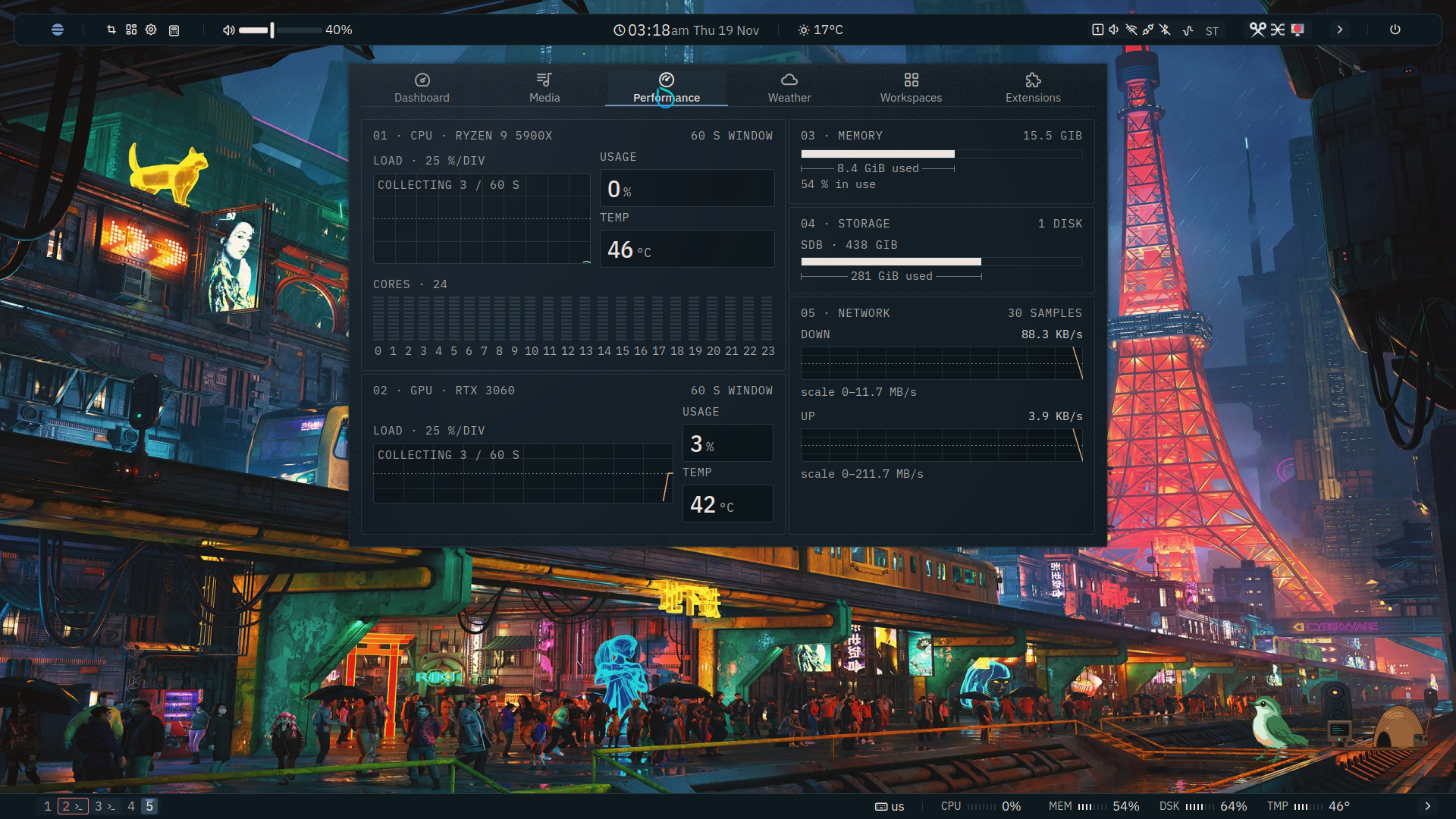
EditionsOne base, three crafts
Choose what your computer is for.
All three editions share the base, the shell and the tools, and are composed at install time from the same ISO. Maturity comes from the pinned edition catalogue, not from this copy.
CH 01Desktop
Build your world
SupportedThe base of every edition: Hyprland by default (Niri experimental), Hornero Shell with 16 layouts and 21 themes, its own Control Center and horneroctl.
Workflows
- Code in kitty, with yazi and btop, in a workspace per project.
- Arrange the desktop with one of 16 layouts, from the picker or with horneroctl.
- Extend the shell with 30 official extensions that declare their permissions.
CH 02Studio
Make something real
SupportedDesktop plus 8 creative specializations you pick at install time. Audio runs Balanced by default; Low Latency and Advanced only when you opt in.
Workflows
- Audio & Music Production Ardour, Guitarix, Carla, Audacity, REAPER, yabridge (Windows VST bridge)
- Video Editing & Post-Production Kdenlive, Blender
- Graphic Design & Illustration Krita, GIMP, Inkscape, Scribus, Graphite
CH 03Gaming
Play on your terms
SupportedDesktop plus a composable gaming layer: Mesa and Vulkan, GameMode, Gamescope and MangoHud. Steam is proprietary and installs only if you choose it; nothing installs silently.
Workflows
- Desktop Gaming Steam · default selection
- Multi-launcher Steam, Lutris, Bottles
- Streaming Steam, OBS Studio
Server and Agents are planned: they have no installable image yet. Compare every edition
SystemBeneath the desktop
The operating system
What makes a workstation dependable happens far from its colours: how it is configured, how it updates and what is verified before anything ships.
- horneroctl
One system tool for the desktop, themes, packages and diagnostics. --json output for scripts; every change shows a --dry-run before it asks for --yes.
horneroctl doctor- Updates
Update checks only look: they list repository and AUR packages separately and install nothing. Upgrading the system is an explicit step.
horneroctl package check- Configuration
Control Center and the CLI change the same configuration. Package-shipped defaults are read-only; your changes live in your user configuration and updates do not overwrite them.
horneroctl config validate- Reliability
Every release pins the exact shell and configuration commits, the ISO ships signed with its checksum, and a QA lab installs into disposable virtual machines before anything is published.
horneroctl system info
ExperienceHornero Shell
A desktop of its own, shaped around you.
Hornero Shell is the visible layer: 16 layouts, 21 themes, 30 official extensions and the Companion, a hornero that lives on your desktop. The shell was adapted from Caelestia Shell (GPL-3.0); Hornero Left and Hornero Right follow its layout, with the upstream credit and licence kept in the repository.
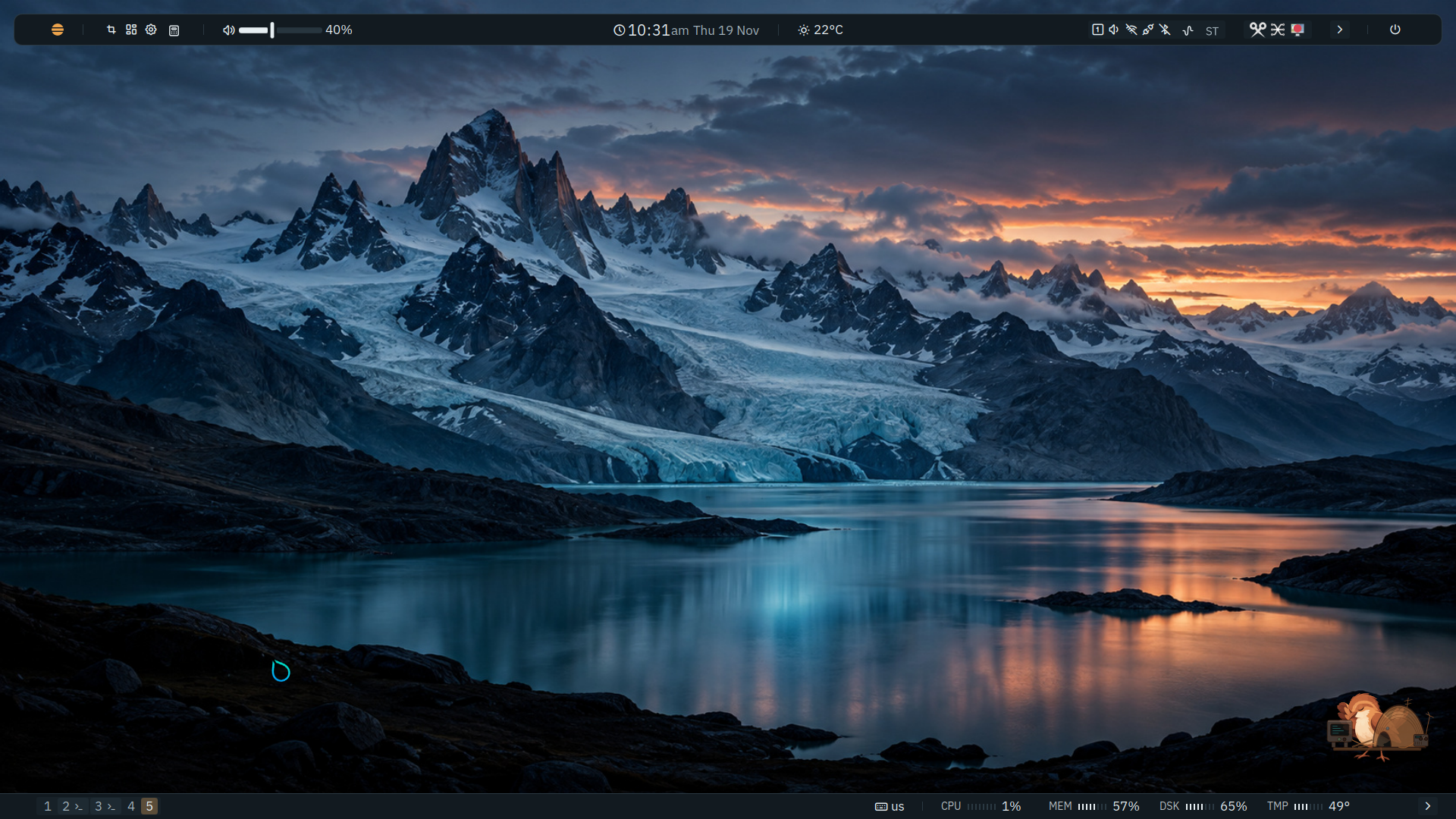
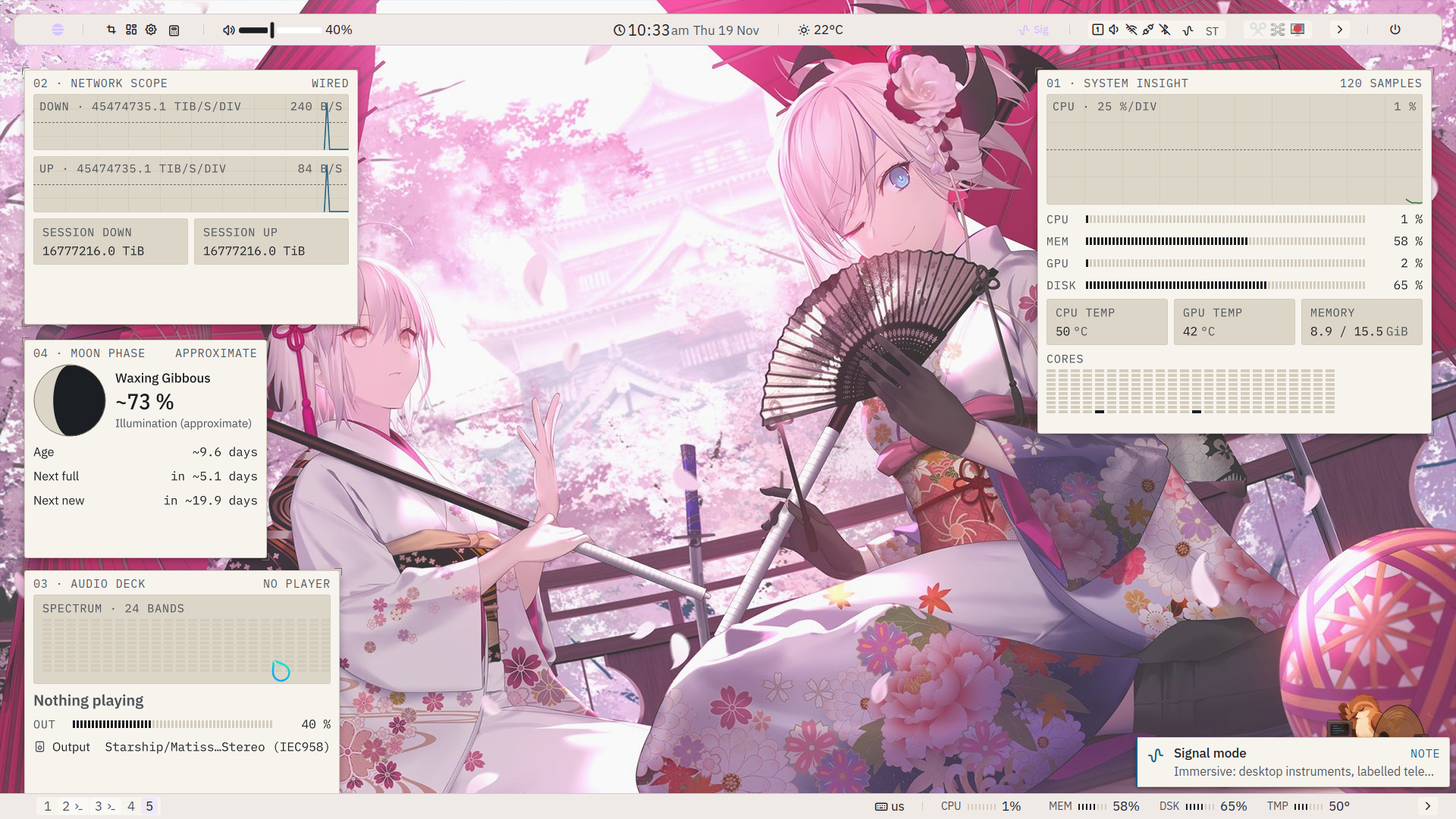
The Signal Bezel direction as it looks on a real desktop. Read the Signal visual language.
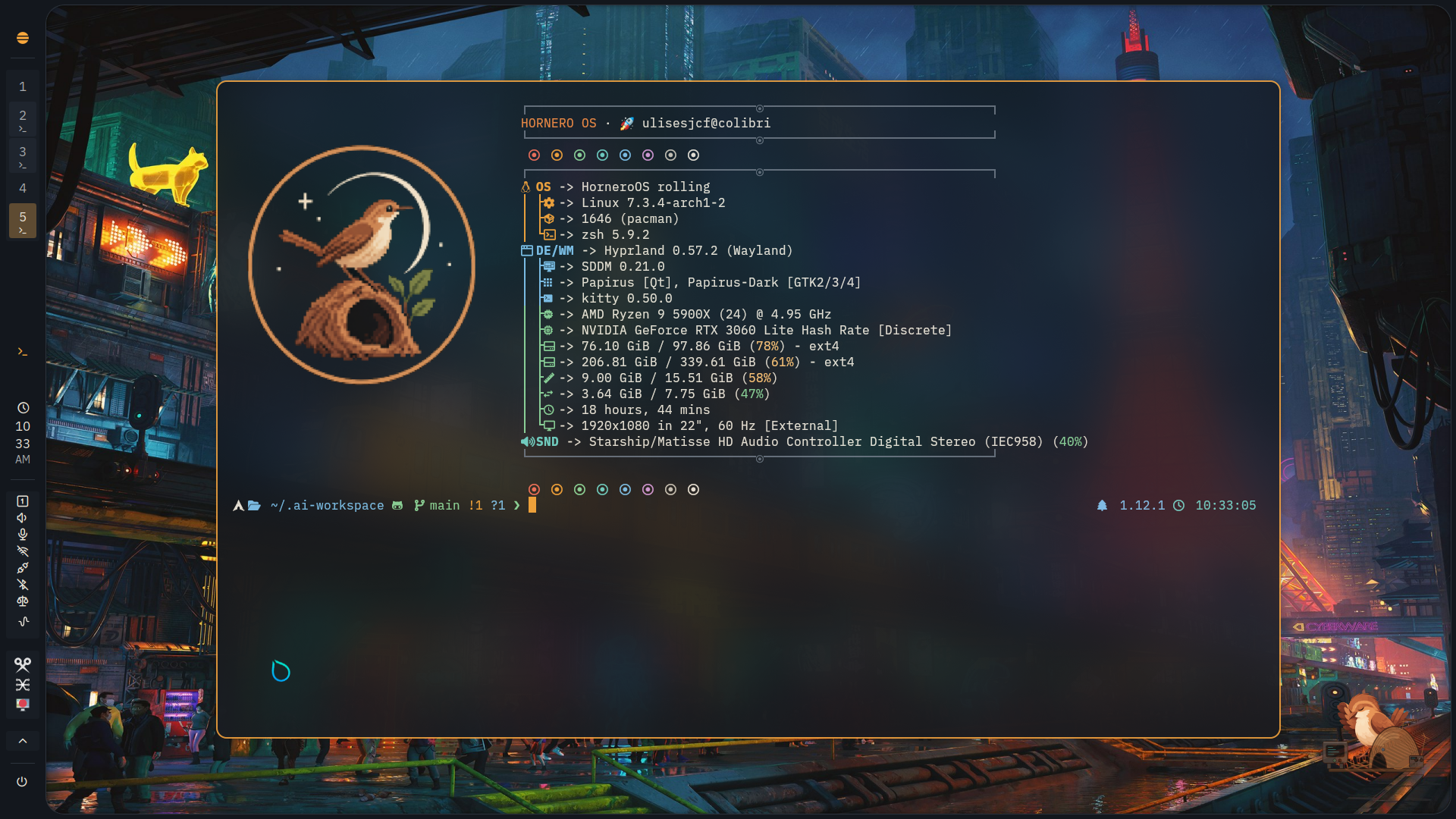
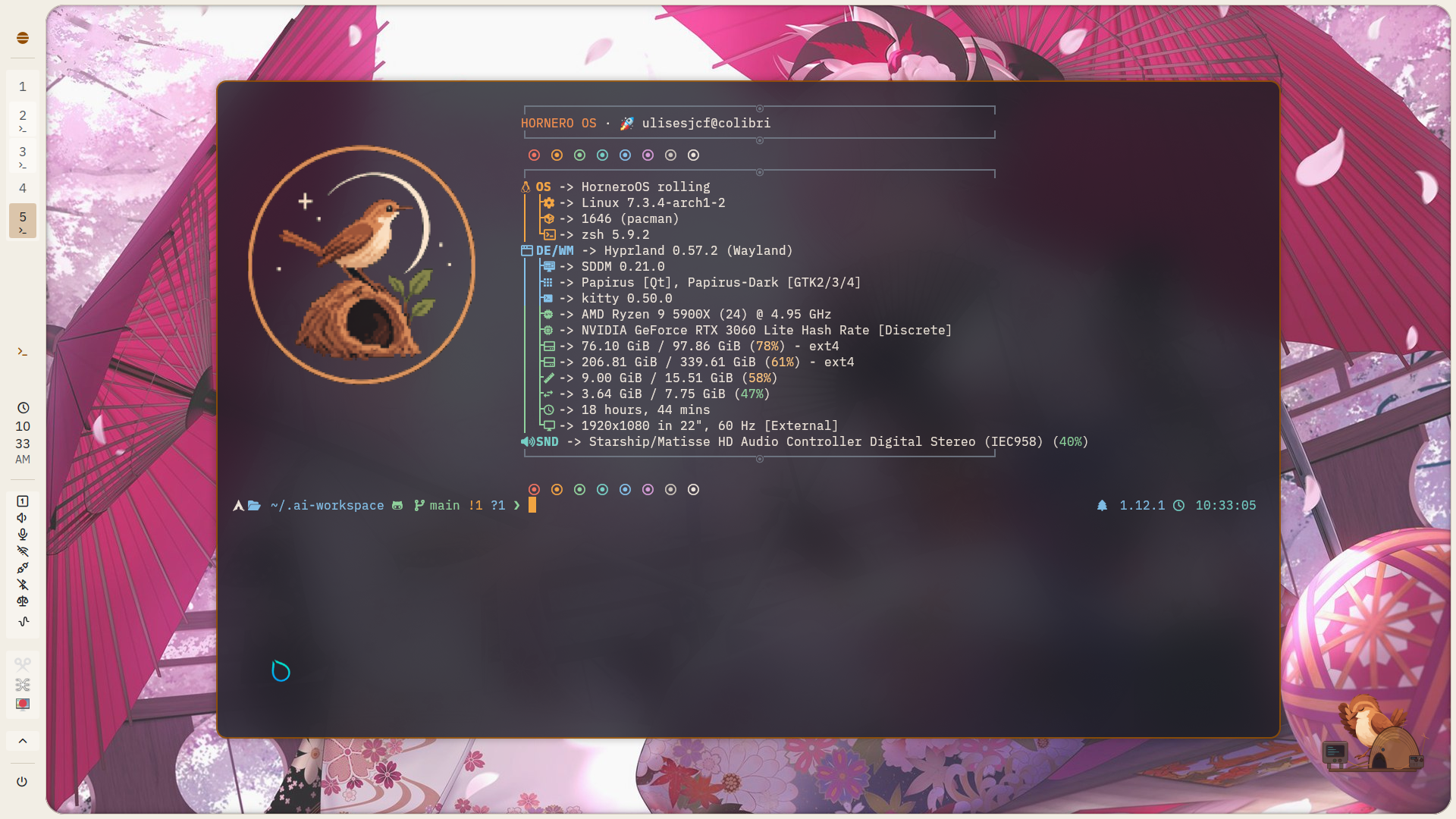
Atmospheres: experience modes
◉Released as packagesFive modes that change how the desktop behaves right now, without touching your layout or theme. You switch them; nothing changes on its own.
- FocusLess noise: one window and you.
- EverydayThe mode a fresh install starts in.
- SignalLive telemetry: the desktop as an instrument panel.
- GamingAll the CPU and GPU for the game.
- StudioA stable canvas for creative work.
- ◉Released as packages
Hornero Chromatic
Optional dynamic colour: the Signal palette comes from the wallpaper, with contrast guarantees. Signal Night and Day stay the factory default.
 ●Released
Javi, the desktop hornero
A hornero that lives on the desktop: it rests, blinks, flies and acts out the assistant states.
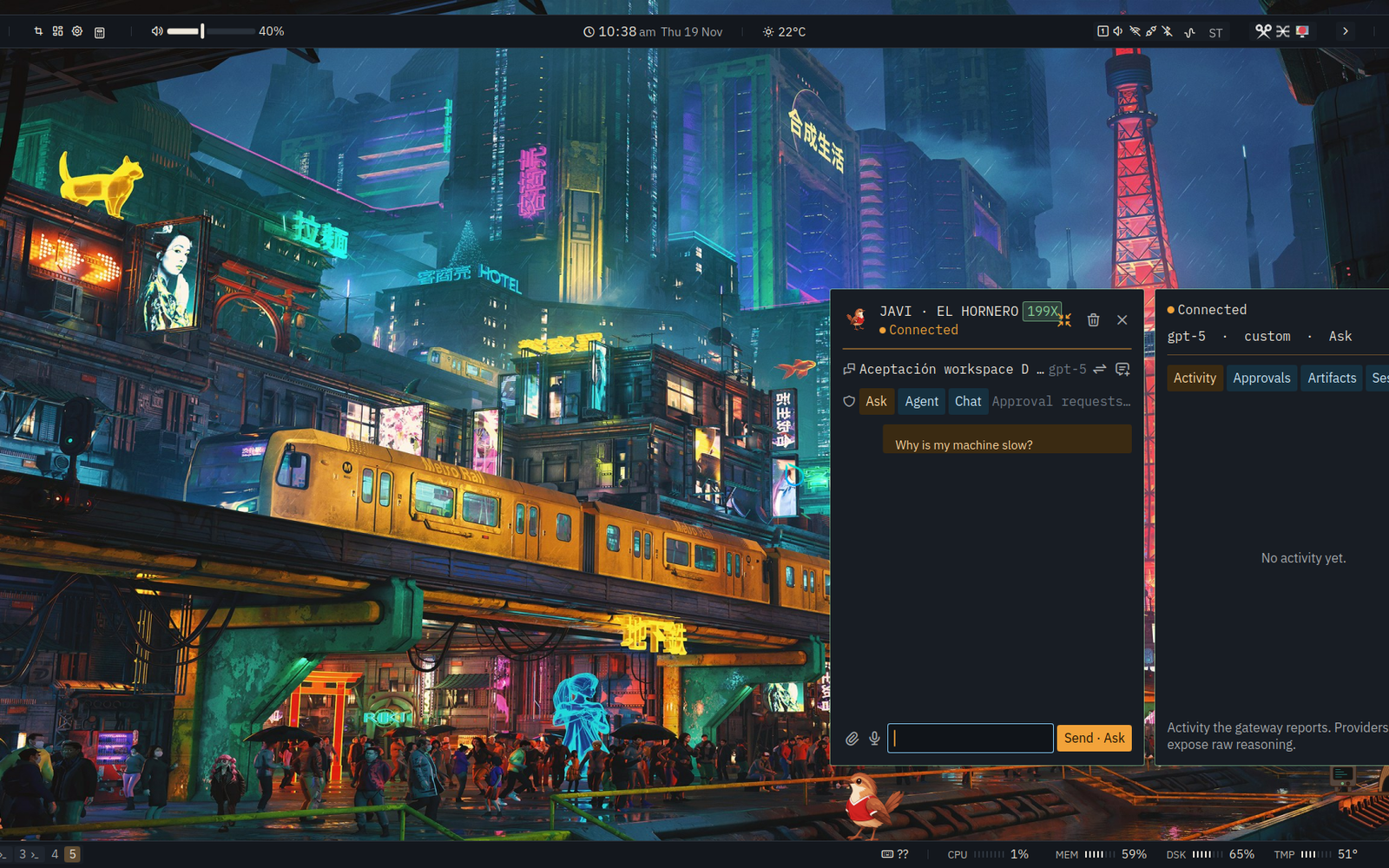
Real capture · Hornero SignalAsk, approve, review — Javi's workbench - ◉Released as packages
Extensions and PluginKit
Contribution surfaces for the bar, desktop and Dashboard, with a v3 manifest and an official catalogue.
InstallEveryday use
From download to first boot.
It is an everyday-use system with concrete, declared limitations: LUKS, legacy BIOS and Niri are not validated on the current ISO and OS rollback is still planned. If you already run Arch, the desktop also installs as packages.
Download
The 0.2.0-preview32 x86_64 ISO carries Desktop, Studio and Gaming in one image.
Verify
Check the SHA-256 checksum and GPG signature published on the release before you write it.
Install
Pick the edition, the specializations and the compositor during installation.
Open sourceEvidence and history
From dotfiles to HorneroOS, in public.
Hornero began in 2018 as one person’s daily desktop, went public as dotfiles in 2019 and is now separate projects with their own installer, QA and documentation. Every step after the first links to the commit or tag that dates it.
A personal Arch Linux workstation
Hornero starts as one developer’s daily desktop in Argentina. This stage predates the public repository history below, so it rests on the maintainer’s account.
Maintainer’s account · no public commit predates 2019The configuration goes public
The first public commit of the dotfiles that became HorneroConfig: an i3 setup, followed the same day by Polybar.
First commit in ulises-jeremias/dotfilesThe shell becomes Quickshell
The workstation switches its bars and panels to a Quickshell shell adapted from Caelestia Shell. That is a new chapter, not the 2018 setup unchanged.
Transition to Quickshell in dotfilesHorneroOS gets its own repositories
The shell is imported from dotfiles into HorneroOS/shell with the upstream author, license and every header intact, then stripped of workstation-only paths.
Shell import, with the Caelestia NOTICEhorneroctl, the native system CLI
A command-line core written in V becomes the operating-system contract. The shell calls its verbs instead of workstation scripts from 2026-09-29.
horneroctl core in HorneroOS/horneroA QA repository records evidence
HorneroOS/qa boots virtual machines, drives scenarios and keeps screenshots with hashes and the pinned product revisions.
Bootstrap of HorneroOS/qaAn official extensions catalogue
Official plugins get a catalogue with checksums and declared permissions. Community packages stay inert.
Marketplace foundation in HorneroOS/plugins
- Evidence
- The site shows a curated selection of 46 captures from a real host, each listing its source; the showroom shows the full selection. Product data comes from shell
5a21935and config466c2ab. - Daily use
- By the maintainer’s account, their everyday computers run HorneroOS: an ASUS ROG Strix G16 and a Lenovo Legion running Studio, and an AMD Ryzen 9 desktop with an RTX 3060. That is the maintainer’s account, not a measurement.
- People
- Ulises Jeremías maintains the project; Panda Foss, a maintainer of Anarchy Linux, is developing the installer. The shell is adapted from Caelestia Shell; its credit and licence stay in the repository.
Frequently asked questions
Every question, the comparison and the limits are on Why HorneroOS.
What is HorneroOS?
It is an Arch-based operating system for building, creating and playing, composed at install time into Desktop, Studio and Gaming editions. It ships its own shell (Hornero Shell), its system tool (horneroctl) and its design language (Hornero Signal).
Is it ready for daily use?
Yes. HorneroOS is an operating system for everyday use: used and maintained daily, with concrete, declared limitations. Desktop, Studio and Gaming carry Supported maturity in the pinned catalogue. The current ISO is 0.2.0-preview32 (a published artifact name) and packages reached 0.2.0-preview36. Concrete limitations: LUKS, legacy BIOS and Niri are not validated on that ISO, hardware is not qualified as a whole, and OS rollback is still planned.
Which editions exist, and which are missing?
Desktop, Studio and Gaming install from the same current ISO. Server and Agents are defined in the catalogue with Planned maturity: they have no installable image.
CommunityDiscord
We build this in public
Try the current ISO, tell us what breaks, propose improvements or help build it. The conversations that shape the desktop happen on Discord.
Feedback
What you think of the desktop, what you would change, and what confuses you.
Bugs
Help us reproduce them. The formal report goes on GitHub, with the ISO, your firmware and the exact step.
Contribute
Shell, config, installer, docs, QA. There is room for anyone who wants to build.