Before the desktopSignal design · on main, unreleased
The HorneroOS greeter
The login screen is an SDDM theme from the same universe as the shell lock screen: an instrument panel on Signal Night in IBM Plex type, with the clock in the centre and a greeting from Javi. Below it sits one sign-in module where accounts are channels (CH 01, CH 02…) and the session selector lists what SDDM offers: Desktop, Studio and Gaming, with experimental sessions last and never the default.
The background is not a photograph: it is a Pampa horizon drawn in code (HorizonField) — a striped half-set sun, a windmill, a wire fence and an instrument scale along the horizon — painted once and still except for the clock. No third-party photo or video is bundled.
Status: this design is on the greeter's main branch (pin 8569a20) and is not in a published package yet. The published hornero-greeter 1.1.0 package is still the landscape greeter; its credits stay at the end of this page while that release is published. No capture of a real login with the new design exists yet: until one does, this page shows no image of the greeter (the one below is the lock screen, labelled as such).
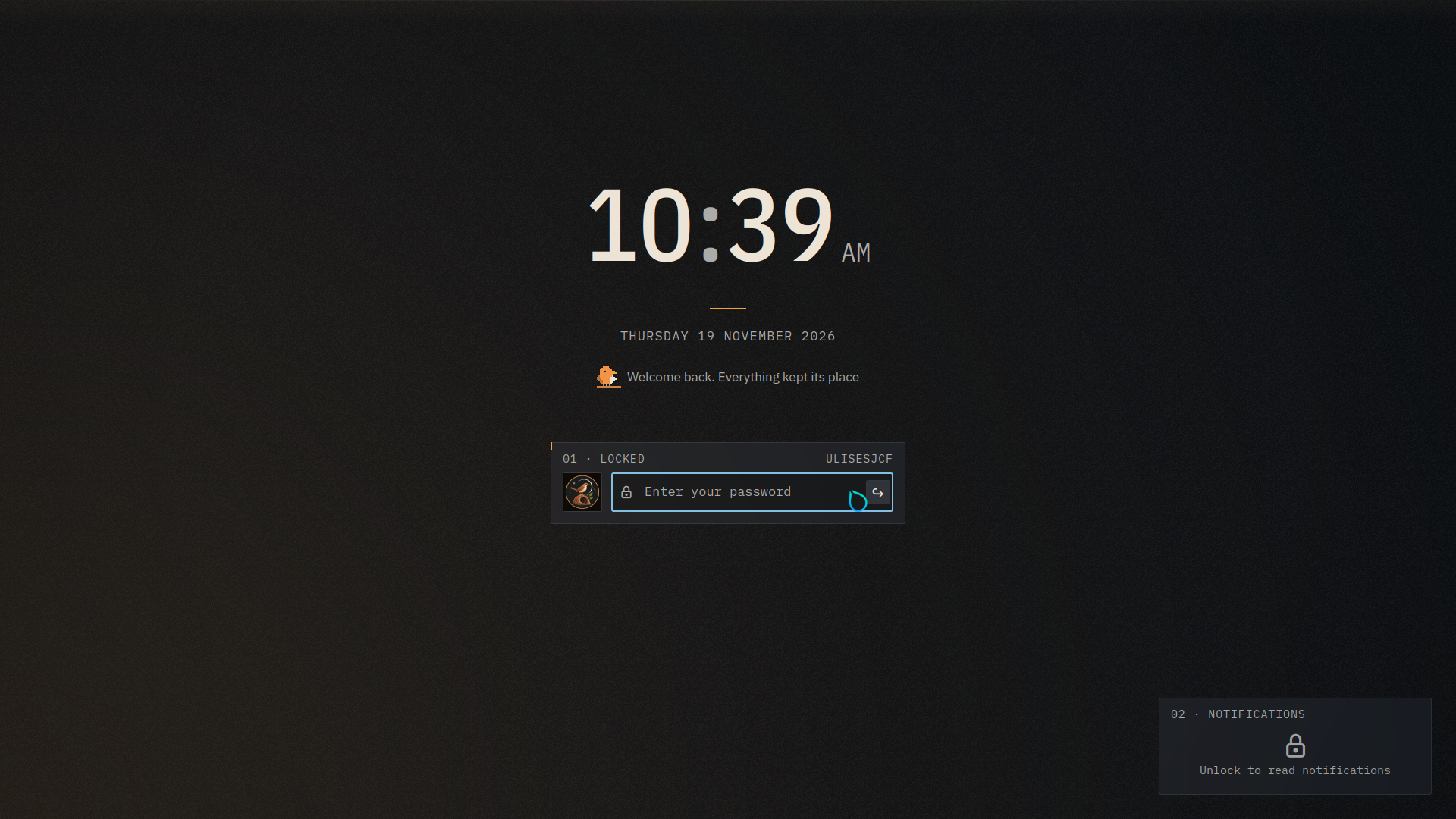
A greeter of its own, on Signal
Every piece comes from the pinned greeter source; this page does not recreate it in the browser or draw it as if it were a screenshot.
- The horizon (HorizonField).A sky of instrument ticks with constellations, seeded by the host name and the date: each computer gets its own sky and it changes from one day to the next. It is painted once into a software canvas; the only ambient motion is a scan hairline stepping once per second, off with reduced motion or high contrast.
- The clock and Javi.It is the lock screen clock: Plex Sans Condensed numerals, one signal hairline and the date in uppercase mono. Javi, the shell hornero, greets by the hour in the shell cosy voice or the plain one (voice=plain), and can be hidden (mascot=false).
- Accounts as channels.Each account is a channel with a tally and an on-air bar when tuned, plus an optional Other channel for a typed name. The password well is named after the chosen account, with the session and keyboard-layout selectors beside it.
- Its own palettes.It runs as the sddm user before any session, so it cannot read your Control Center palette: it carries Signal Night · Signal Day · Signal High Contrast. colorScheme=auto follows the light or dark preference only when the platform reports one.
- Several displays.The sign-in module sits on SDDM primary display; every other output shows a quiet plate with the mark, the time and the note to sign in on the main display.
- Honest errors.A wrong password is counted from the second attempt, Caps Lock is announced, with no sessions installed log in is disabled and says why, and if SDDM does not answer within 12 seconds the greeter says so. Suspend, restart and shut down ask first, with Cancel focused.
Offscreen renders, not captures
The greeter repository publishes renders of the real theme (sddm-greeter-qt6 --test-mode on Qt offscreen platform, with fixture accounts and sessions): Signal Night, Signal Day, high contrast with large text, 1366×768 and 1920×1080, the secondary plate and the error states. They are the current design reference, but they are not captures of a real login or of a published package, so this site links to them instead of showing them as captures.
The full render list (with sizes) lives in the pinned greeter repository; this page shows no image of the greeter until a capture of a real login exists.See the renders in the repository
Technical details
A Qt6/QML SDDM theme that works offline with no media pack. An administrator can choose their own image or video with backgroundImage in theme.conf: only that chosen video needs Qt 6 Multimedia, and if the file is missing or cannot be decoded the generative horizon stays. The values below are the defaults in the pinned theme.conf, generated on every data sync.
Login managerSDDM · Qt6/QML
BackgroundGenerative horizon
PaletteSignal Night · Signal Day · Signal High Contrast
Colour schemecolorScheme=auto
Greeting voicevoice=cozy
Javimascot=true
Account channelsshowUserChannels=true · allowOtherUser=true
Confirm powerconfirmPower=true
AccessibilityhighContrast=false · largeText=false · reducedMotion=false
Languagesen · es (language=auto)
Bundled mediaNone
ComponentsHorizonField.qml · ChannelStrip.qml · HorneroSprite.qml · Signal.js · Strings.js · UserVideo.qml
Credits for the published landscape release
The published hornero-greeter 1.1.0 package still shows these licensed Argentine scenes. The Signal greeter does not use or bundle them, and this page no longer plays them; the credits stay here while that release is published.
- Iguazú in tiers of mistIguazú Falls, MisionesBrandon Antonio Segura Torres & Priscilla Vieto Bonilla · CC-BY-SA-4.0 · Source ↗
- Across the Perito Moreno ice frontLos Glaciares National Park, Lago ArgentinoBrandon Antonio Segura Torres & Priscilla Vieto Bonilla · CC-BY-SA-4.0 · Source ↗
- Penguin colony at the End of the World lighthouse, UshuaiaLes Eclaireurs lighthouse area, Beagle Channel, UshuaiaBrandon Antonio Segura Torres & Priscilla Vieto Bonilla · CC-BY-SA-4.0 · Source ↗
- Corrientes Avenue after darkAvenida Corrientes and Avenida 9 de Julio, Buenos AiresProtoplasmaKid · CC-BY-SA-4.0 · Source ↗
- Palmar at the last lightParque Nacional El PalmarLeandro Kibisz (Loco085) · CC-BY-SA-4.0 · Source ↗
Source and status
This page describes the greeter; it does not authenticate or collect credentials. The real theme is open source and HorneroOS is an everyday-use system, with concrete, declared limitations.