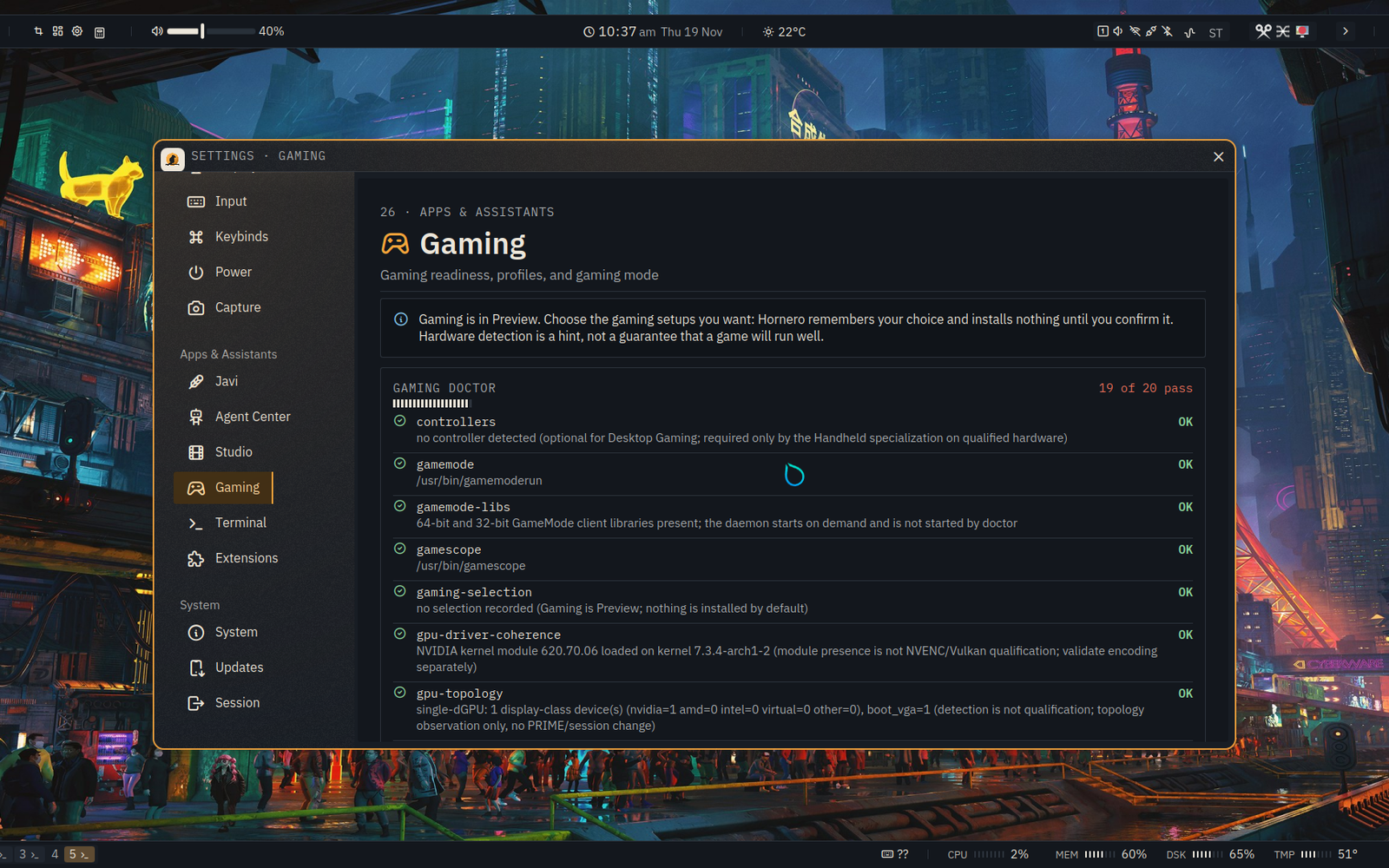
HorneroOS Gaming is the play edition built on top of Desktop: the same Hornero Shell, the same configuration and the same horneroctl, plus a composable gaming layer (Steam with Proton, Gamescope, Feral GameMode and MangoHud). It is an everyday-use edition: you pick it in the same installer and the same ISO as Desktop and Studio, nothing installs silently, and it makes no promise that any given game runs on any given hardware.
SteamProprietary · opt-inLutrisBottlesAUR · manualWineOBS Studio
profiles in the catalogue
6
applications in the catalogue
8
game-compatibility promises
0
Today: the canonical catalogue and horneroctl gaming doctor already helps you check your machine, and Gaming installs from the shared current ISO (Desktop, Studio and Gaming). It is used daily on the team’s real hardware (for example a Ryzen 9 desktop with an RTX 3060); that is reported real use, not a certification: your hardware may behave differently, and AMD, Intel, hybrid graphics, handhelds and VRR/HDR displays are not qualified yet.
Real capture · Hornero SignalGaming readiness, checked honestly (Supported)
Composable profiles
You pick profiles and applications; the canonical resolver builds the plan, and Steam only enters when you select it explicitly by name. Profiles never smuggle proprietary software in.
Desktop Gaming DefaultSteam opt-in
Steam
Handheld Gaming Steam opt-in
Steam
Streaming Steam opt-in
Steam
OBS Studio
Multi-launcher Steam opt-in
Steam
Lutris
Bottles
VR Steam opt-in
Steam
Advanced Compatibility
Wine
VKvkBasalt
Applications, sources and licenses
This catalogue is generated from the pinned Hornero catalogue (HorneroOS/hornero at 759a3a1); logos are the official upstream icons, shown for identification. Steam is proprietary and always an explicit opt-in; Heroic and SteamVR are reference-only; AUR entries are manual and optional, and no HorneroOS tool ever executes AUR recipes. vkBasalt and SteamVR have no official icon vendored, so they carry an in-house initials text badge, never presented as their logo.
Steam
Proprietary · opt-in
Packages
steam
Source
arch-multilib
License
LicenseRef-steam-subscriber-agreement
Lutris
Open source
Packages
lutris
Source
arch-extra
License
GPL-3.0-only
Bottles
Open sourceAUR · manual & optional
Packages
bottles
Source
aur
License
GPL-3.0-only
Wine
Open source
Packages
wine
Source
arch-extra
License
LGPL-2.1-or-later
VK
vkBasalt
Open sourceAUR · manual & optional
Packages
vkbasalt, lib32-vkbasalt
Source
aur
License
zlib
OBS Studio
Open source
Packages
obs-studio
Source
arch-extra
License
GPL-2.0-only
Heroic Games Launcher
Reference only
Packages
—
Source
—
License
See package
ST
SteamVR
Reference only
Packages
—
Source
—
License
See package
Runtime layer
These components accompany the catalogue applications but are not per-profile installable applications: they are shown name-only, with no logos of unverified provenance.
ProtonValve's compatibility layer, via Steam (explicit opt-in).
GamescopeValve's game-session microcompositor; no performance promises.