Why HorneroOSEveryday use
Why HorneroOS
HorneroOS is an Arch-based operating system composed by craft (Desktop, Studio and Gaming), with a shell of its own adapted from Caelestia Shell and settings in the Control Center. It is an everyday-use system: this page says what it does today, which concrete limitations it has and how it differs from other projects, with no performance figures and no testimonials.
Download the current ISOCompare the editions
What HorneroOS does
Editions by craft
●Released
HorneroOS is composed at install time: Desktop for daily work, Studio for creating and Gaming for playing, on the same base and the same ISO. Server and Agents are planned and have no image yet.
Hornero Signal, modes and optional Chromatic
◉Released as packages
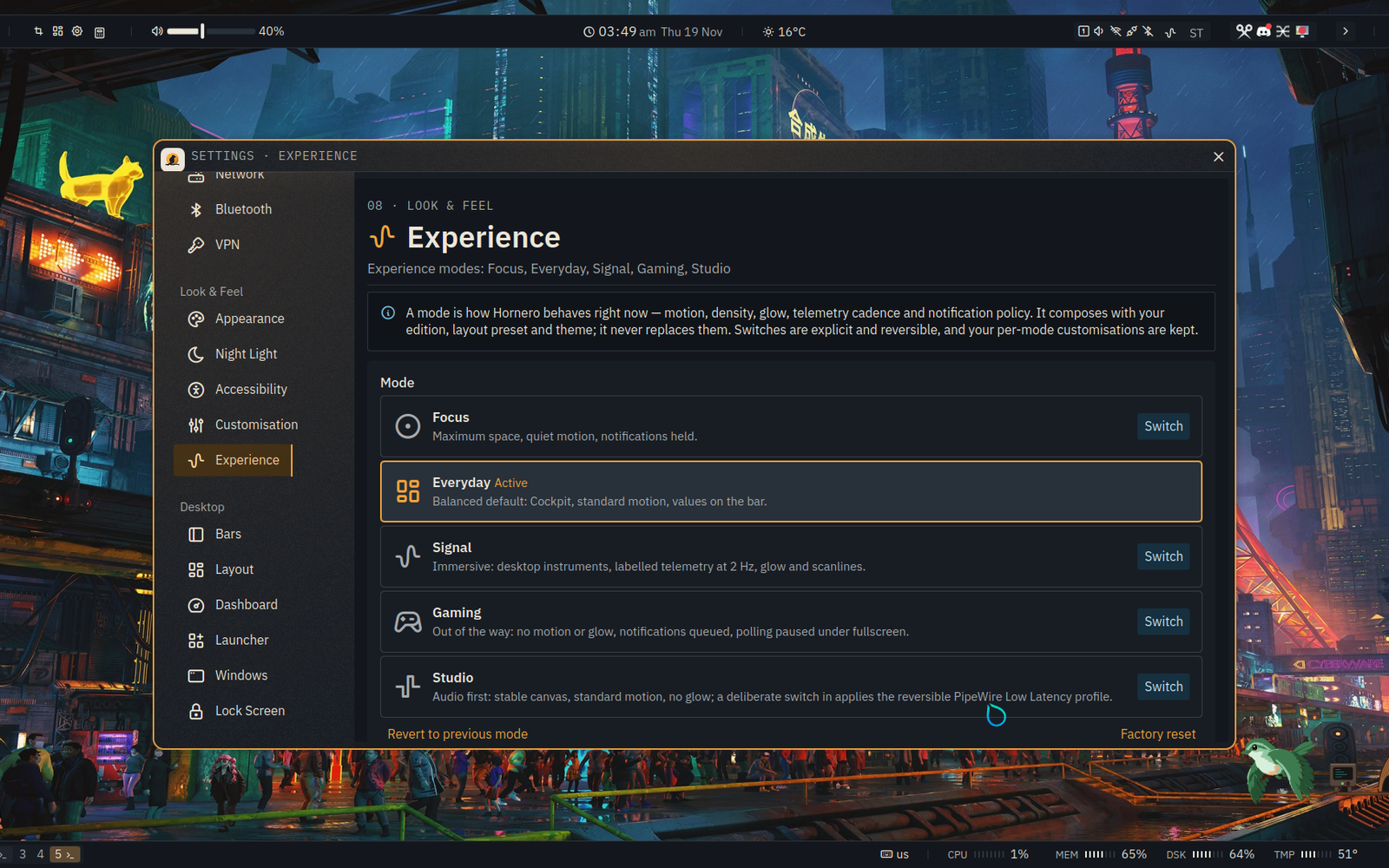
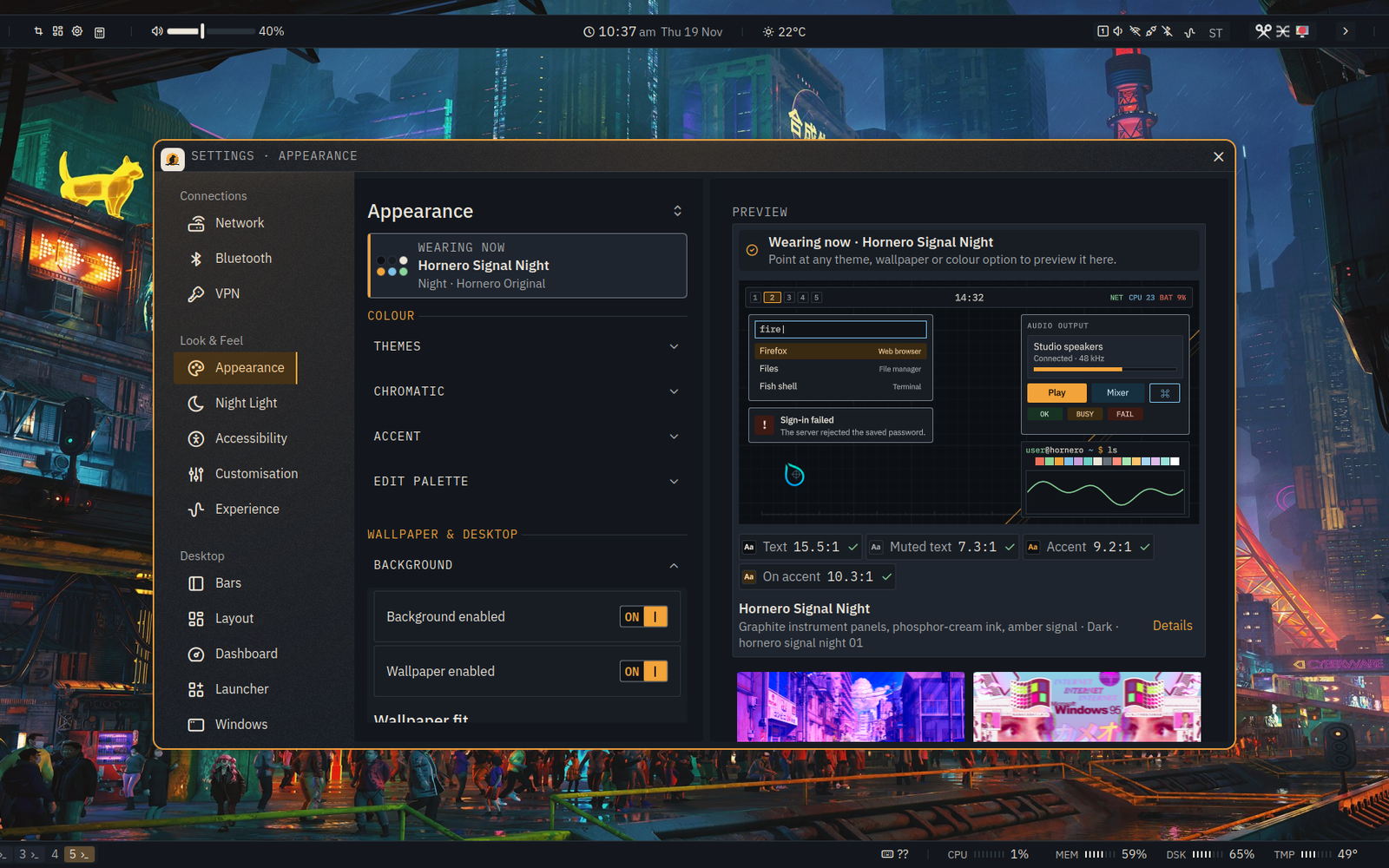
The desktop has a visual language of its own (Signal Night and Day), five modes that change how it behaves without touching your layout or theme, and optional dynamic colour from the wallpaper. The dynamic-colour idea comes from Caelestia (GPL-3.0) and the implementation is new; the Chromatic page documents it.
Settings in the Control Center
●Released
Layouts, themes, extensions and the companion are adjusted from the Control Center and from horneroctl, with each status taken from the project ledger. Editing files by hand stays possible, but the desktop settings do not require it.
Rioplatense Spanish and English
●Released
This site is written in Rioplatense Spanish first and English second. The technical documentation under /docs/ is written in English in HorneroOS/docs; the Spanish pages say so instead of hiding it.
Comparison: operating systems and shells
The projects in this table are not all the same kind of thing. Omarchy, CachyOS and Ryoku are operating systems; Caelestia Shell and Dux Modular Shell are desktop shells that run on an already installed system. Every row links to its primary source.
| Project | Type | What it is | Install | Relation to HorneroOS |
|---|---|---|---|---|
| HorneroOSISO actual 0.2.0-preview32 · paquetes 0.2.0-preview36 | Operating system | An Arch-based operating system for everyday use, with Desktop, Studio and Gaming editions at Supported maturity. Server and Agents are planned, with no installable image. | One signed x86_64 ISO (the current one, 0.2.0-preview32) or packages for existing Arch systems; 0.2.0-preview36 arrives as a package update. | Hyprland is the supported compositor and Niri is experimental, per the edition catalogue pinned on this site. |
| Omarchyv4.5.0 (2026-11-05) | Operating system | A Linux distribution. Its README describes it as an opinionated distribution by DHH. | It installs as a complete system; the details live at omarchy.org. | HorneroOS studied it as a design reference. This site claims no code lineage from it. |
| CachyOSchecked 2026-11-19 | Operating system | An Arch-based operating system. Its site presents it as performance-first, with CPU-compiled packages and its own kernel: those are its project's claims, not HorneroOS measurements. | It installs as a complete system, with a graphical or a CLI installer according to its site. | HorneroOS publishes no performance figures of its own, so this table does not compare speed. |
| Ryokuv1.1.0 (2026-11-17) | Operating system | An opinionated Arch workstation, per its repository description. | It installs as a desktop system; the details live in its repository. | HorneroOS studied it as a design reference. Its settings counts were not verified in this pass and are not repeated here. |
| Caelestia Shellv2.5.0 (2026-09-18) · GPL-3.0 | Desktop shell | A desktop shell for Linux. It is not an operating system: it runs on a compositor in an already installed system. | It installs as a shell on an existing system, per its repository. | Hornero Shell was adapted from Caelestia Shell. The upstream author, the GPL-3.0 licence and the imported commit stay documented in the shell repository. |
| Dux Modular Shell (DMS)v2.1.2 (2026-11-08) | Desktop shell | A desktop shell for Wayland compositors, built with Quickshell and Go per its repository. It is not an operating system. | It installs as a shell on a supported compositor in an existing system. | It was previously called DankMaterialShell; its former repository now resolves to duxlabs-dev/dux-shell. HorneroOS studied it as a design reference. |
A shell is not an operating system, and dotfiles are neither: the Type column says what gets installed in each case. What this pass did not verify is stated in the row, not guessed.
Limits and status
- The current ISO is 0.2.0-preview32 and packages reached 0.2.0-preview36. Desktop, Studio and Gaming carry Supported maturity; LUKS, legacy BIOS and Niri are not validated on that ISO and OS rollback is still planned.
- The site shows a curated selection of 46 captures taken on a real host; the rest of the archive stays kept, unshown. See the showroom
- HorneroOS publishes no benchmarks. Other projects’ performance claims are attributed to their source and are not compared here.
- System rollback is planned in the project ledger; it is not announced as a current capability.
Frequently asked questions
What is HorneroOS?
It is an Arch-based operating system for building, creating and playing, composed at install time into Desktop, Studio and Gaming editions. It ships its own shell (Hornero Shell), its system tool (horneroctl) and its design language (Hornero Signal).
Is it ready for daily use?
Yes. HorneroOS is an operating system for everyday use: used and maintained daily, with concrete, declared limitations. Desktop, Studio and Gaming carry Supported maturity in the pinned catalogue. The current ISO is 0.2.0-preview32 (a published artifact name) and packages reached 0.2.0-preview36. Concrete limitations: LUKS, legacy BIOS and Niri are not validated on that ISO, hardware is not qualified as a whole, and OS rollback is still planned.
Which editions exist, and which are missing?
Desktop, Studio and Gaming install from the same current ISO. Server and Agents are defined in the catalogue with Planned maturity: they have no installable image.
Which compositor does it use?
Hyprland is the supported default compositor. Niri is listed as experimental and Labwc as planned in the edition catalogue.
How do I install it?
You download the signed x86_64 ISO from the install page, verify the published SHA-256 and GPG signature, and pick the edition and compositor during installation. On an existing Arch system, the Desktop is also available as packages.
How is it related to Caelestia?
Hornero Shell was adapted from Caelestia Shell (GPL-3.0). The upstream author, the licence and the imported commit stay documented in the shell repository. HorneroOS adds the operating system around that shell: editions, installer, packages and documentation.
Which languages is it in?
This site is published in Rioplatense Spanish and English, with Spanish as the default. The technical documentation under /docs/ is written in English in HorneroOS/docs; the Spanish pages say so.
Is it faster than other distributions?
HorneroOS publishes no benchmarks or performance figures, so this site does not claim it is faster than another distribution. If a figure appears in the future, it will say on which hardware and by what method it was measured.
What is Javi? Is it on by default?
Javi is the companion that lives on the desktop; it is presentation only and can be turned off. An optional, experimental assistant can sit behind it, off by default and never running as root. The separate Agents edition is still planned.