Your starting deck, from first flight to everyday use.
Hornero Welcome brings three modes together in a calm 1080×680 window: First Flight for initial arrival, Explore Hornero as a permanent feature and shortcut hub, and What’s New after upgrades. Shipped in AUR and in the v0.2.0-preview42 QCOW2 (hornero-shell 1.6.0-2, hornero-config 0.6.0-1, horneroctl-bin 0.2.0_preview63-1); the current v0.2.0-preview32 ISO still carries the earlier 11-page window and the next ISO cut will bundle Signal Flight.
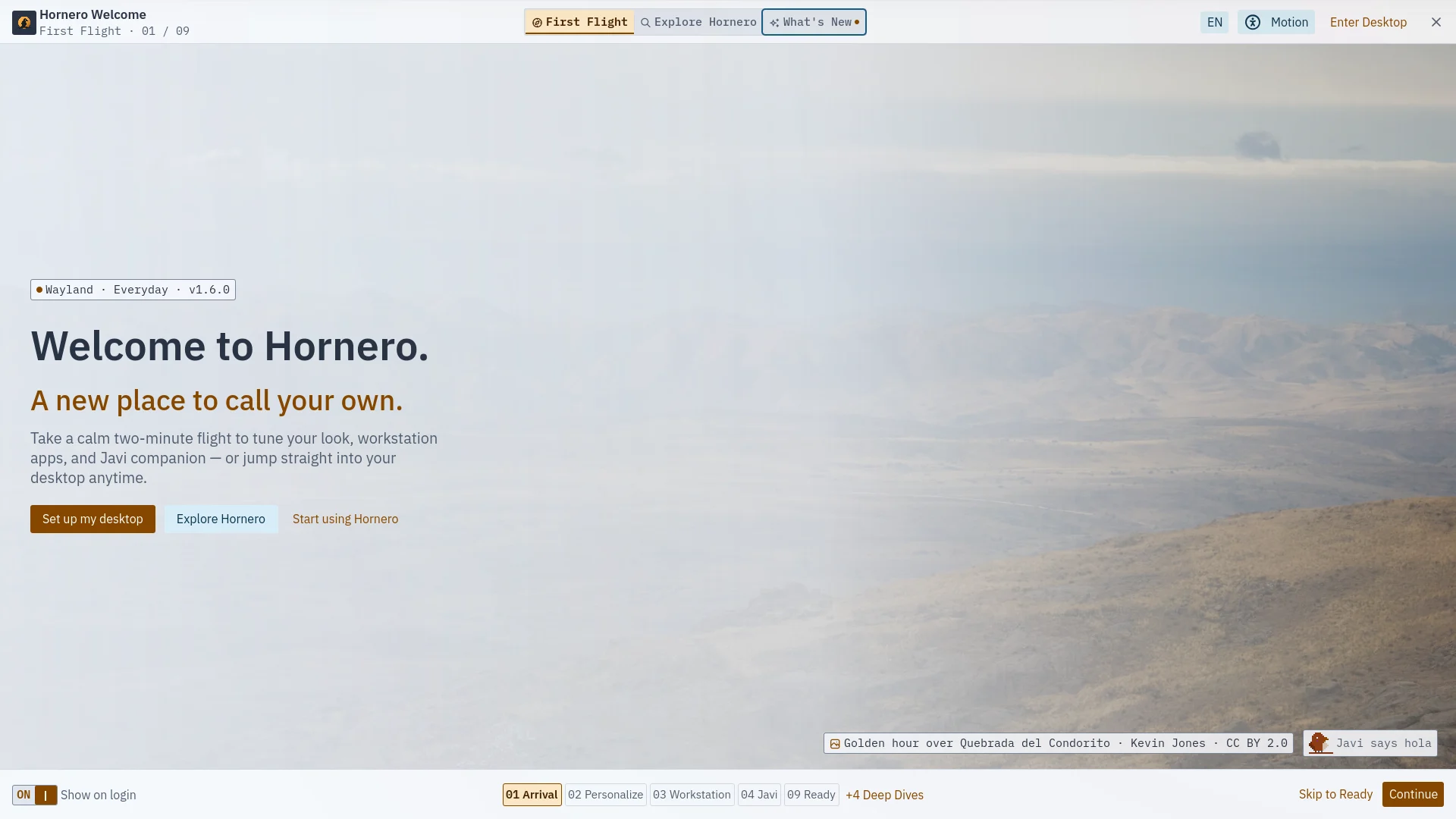
Scene 1 (Arrival) in Signal Day over attributed Argentine photography.
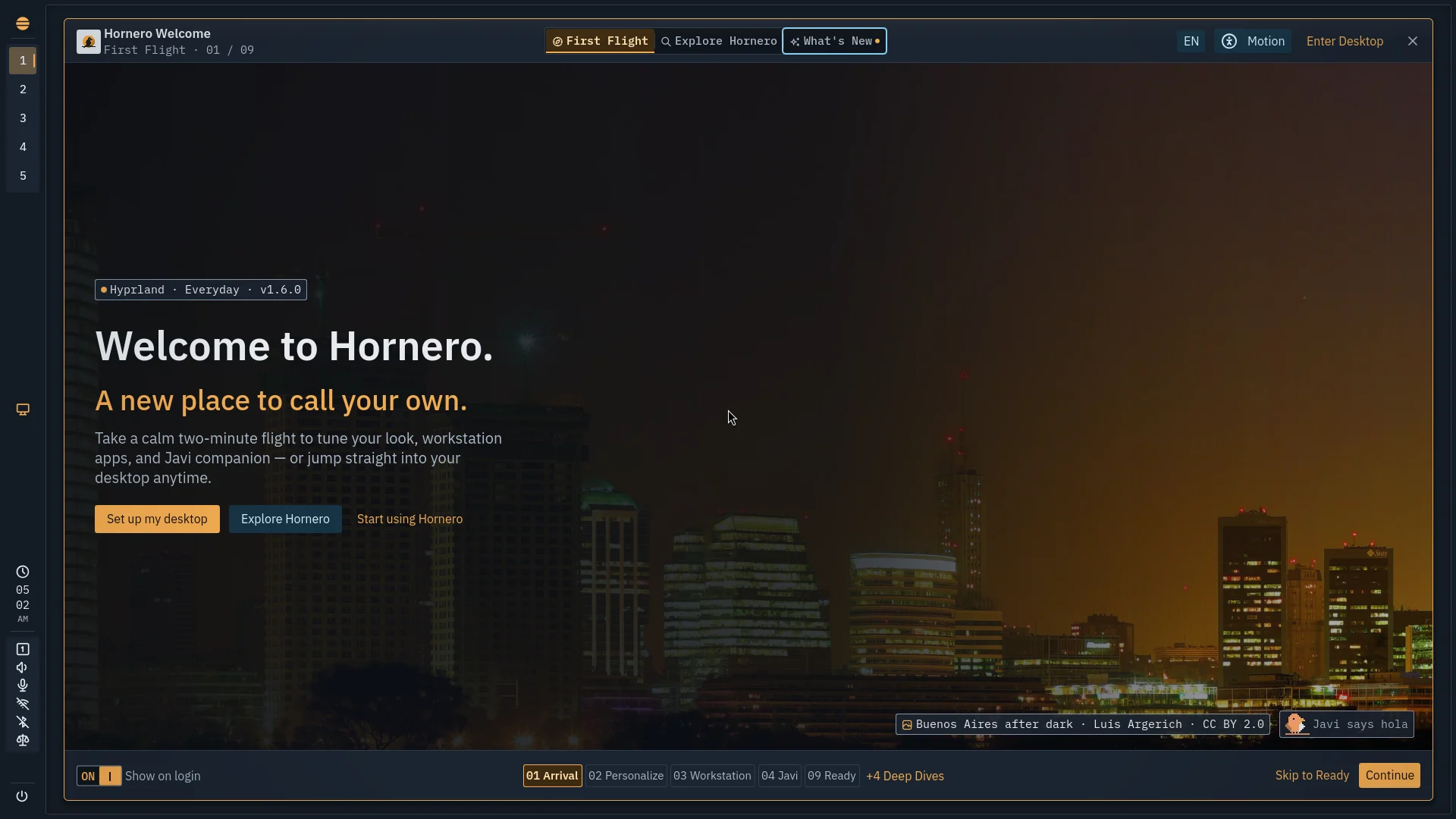
Signal Night · 1080p KVM (v0.2.0-preview42)1920×1080
Real live 1920×1080 UEFI KVM Wayland capture of v0.2.0-preview42 showing the live Arrival scene.
Live real captureWebM · 1920×1080
Real walkthrough of Hornero Welcome
WebM clip captured on running HorneroOS (1920×1080), walking through Arrival, reversible customization, Workstation Builder, Javi, and Explore Hornero.
Visual summary: opening Arrival in Signal Day and Night, previewing themes and bar layouts in Make It Yours, picking Experience Modes in Workstation Builder, switching Javi skins in Meet Javi, and searching in Explore Hornero.
Three modes, one windowfirstRunCompleted · lastSeenReleaseVersion
Guides you once without replaying first-run screens
Welcome decouples first-run completion (firstRunCompleted) from release tracking (lastSeenReleaseVersion). If you turn off showOnLogin, it never auto-opens again—even after major upgrades.
01First login
First Flight
A calm 9-scene guided setup with a minimal top bar and compact flight rail. Skip anytime or move at your own pace.
02Returning manual opens
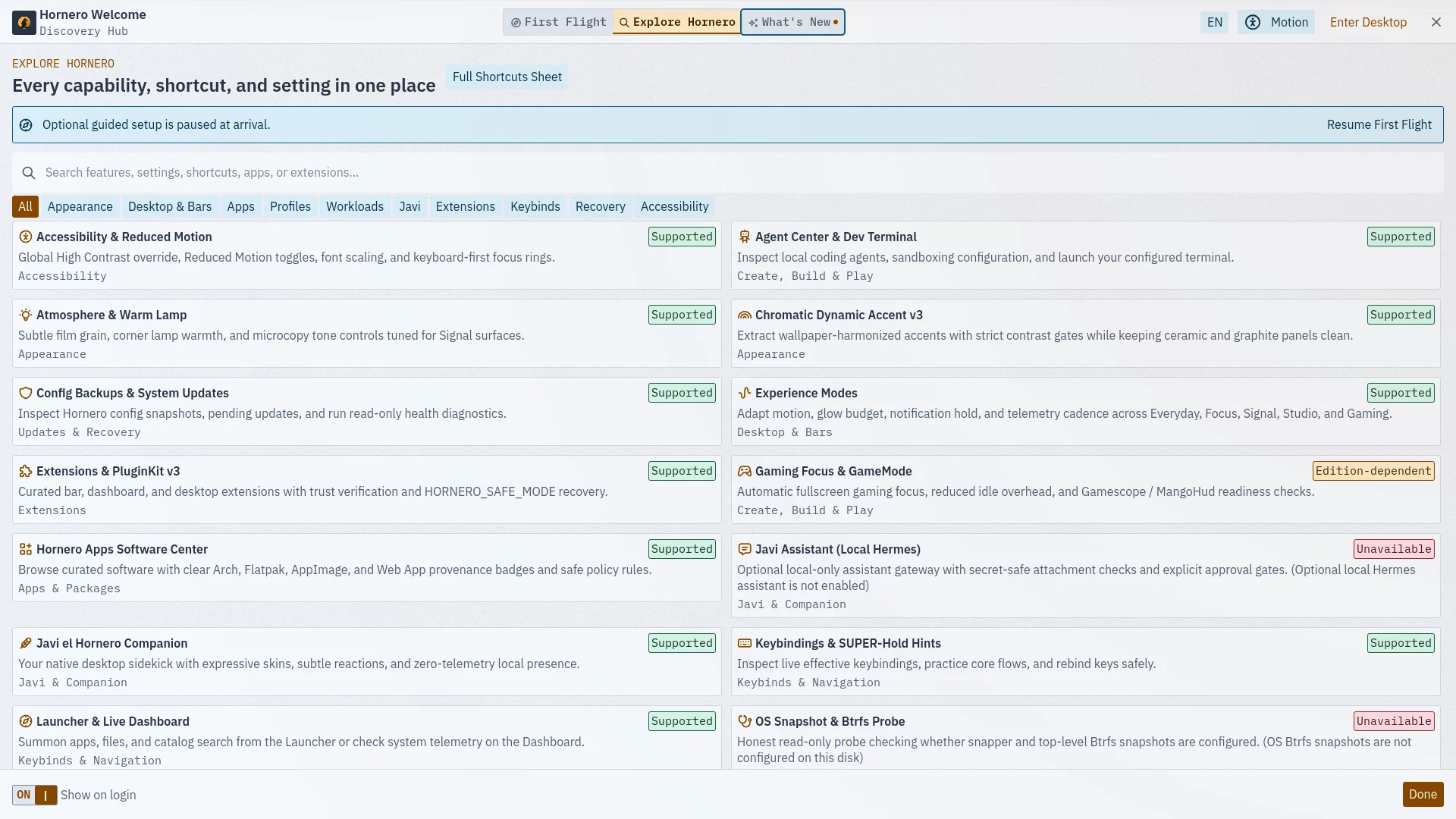
Explore Hornero
A permanent discovery hub: instant search across features, Control Center pages, live keybindings, and the trust & recovery ledger.
03Once per upgrade
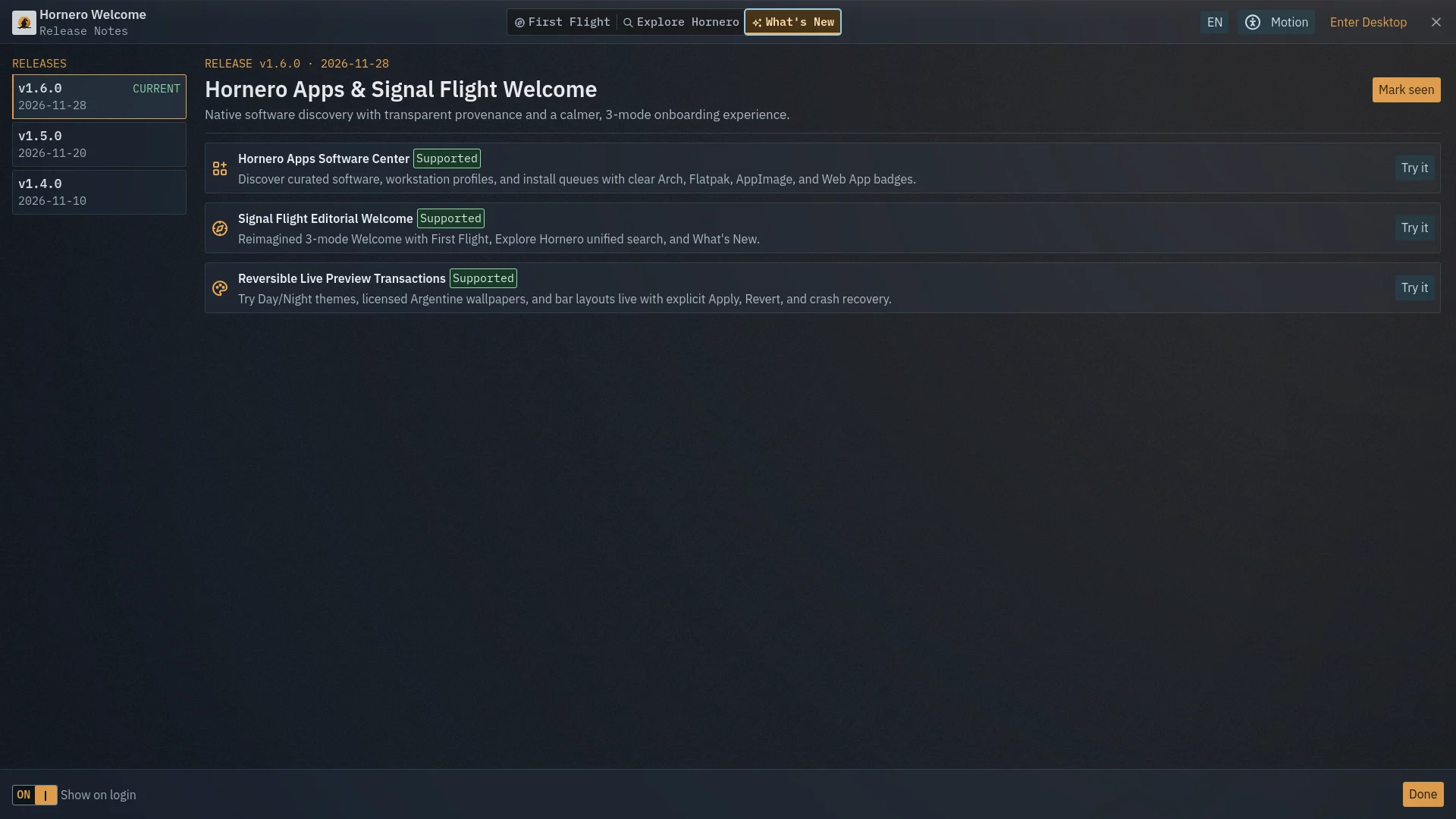
What’s New
When you upgrade with showOnLogin enabled, opens directly into concise release highlights with direct jumps to new settings.
Scene & mode capturesSignal Day & Signal Night
Customization, workstation builder, Javi, and discovery
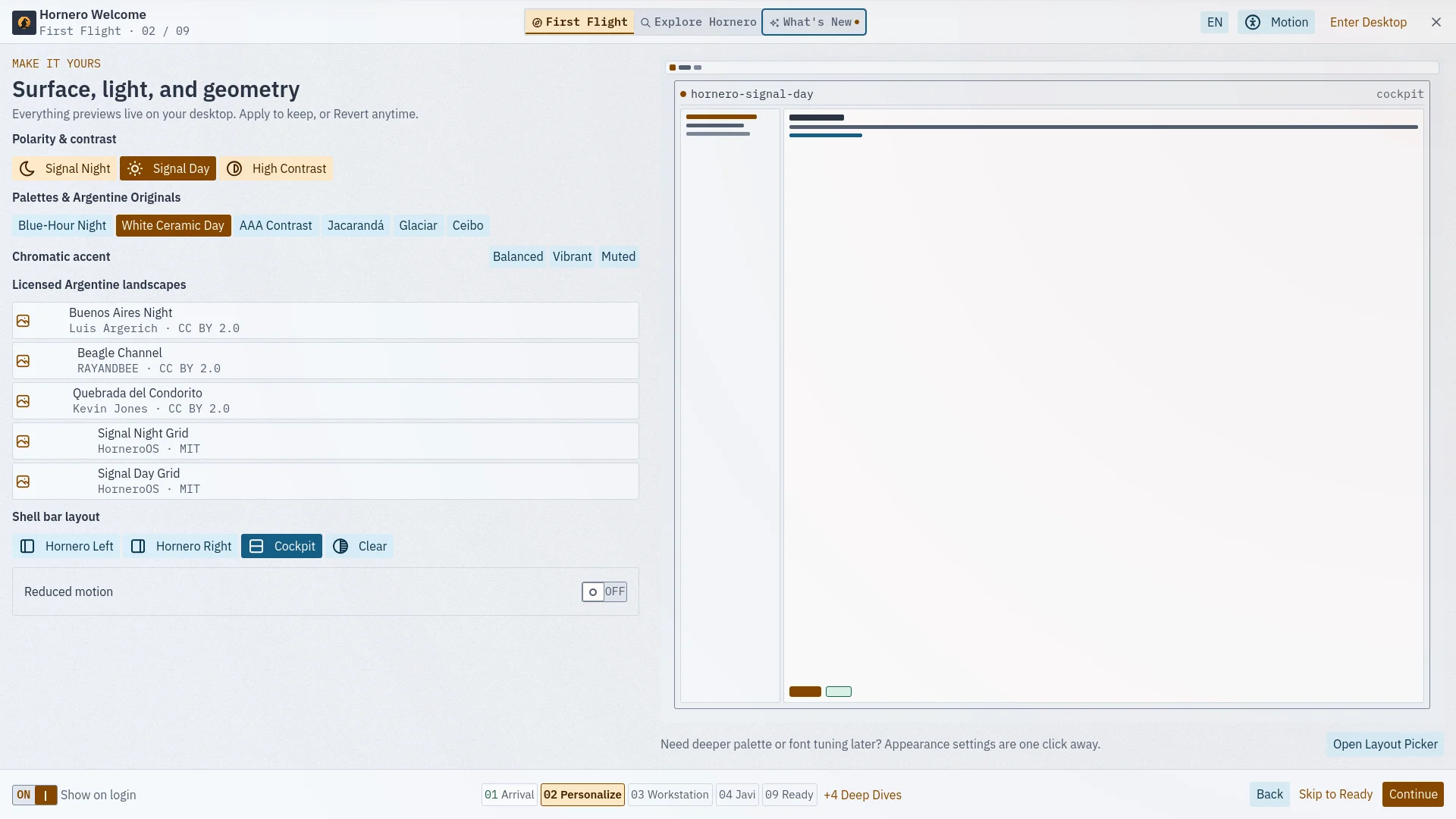
Scene 2 · Signal Day1920×1080
Make It Yours: reversible live previewsSwitch between Signal Day, Signal Night, High Contrast, Chromatic v3, and bar layouts on a live preview stage with a Previewing live bar.
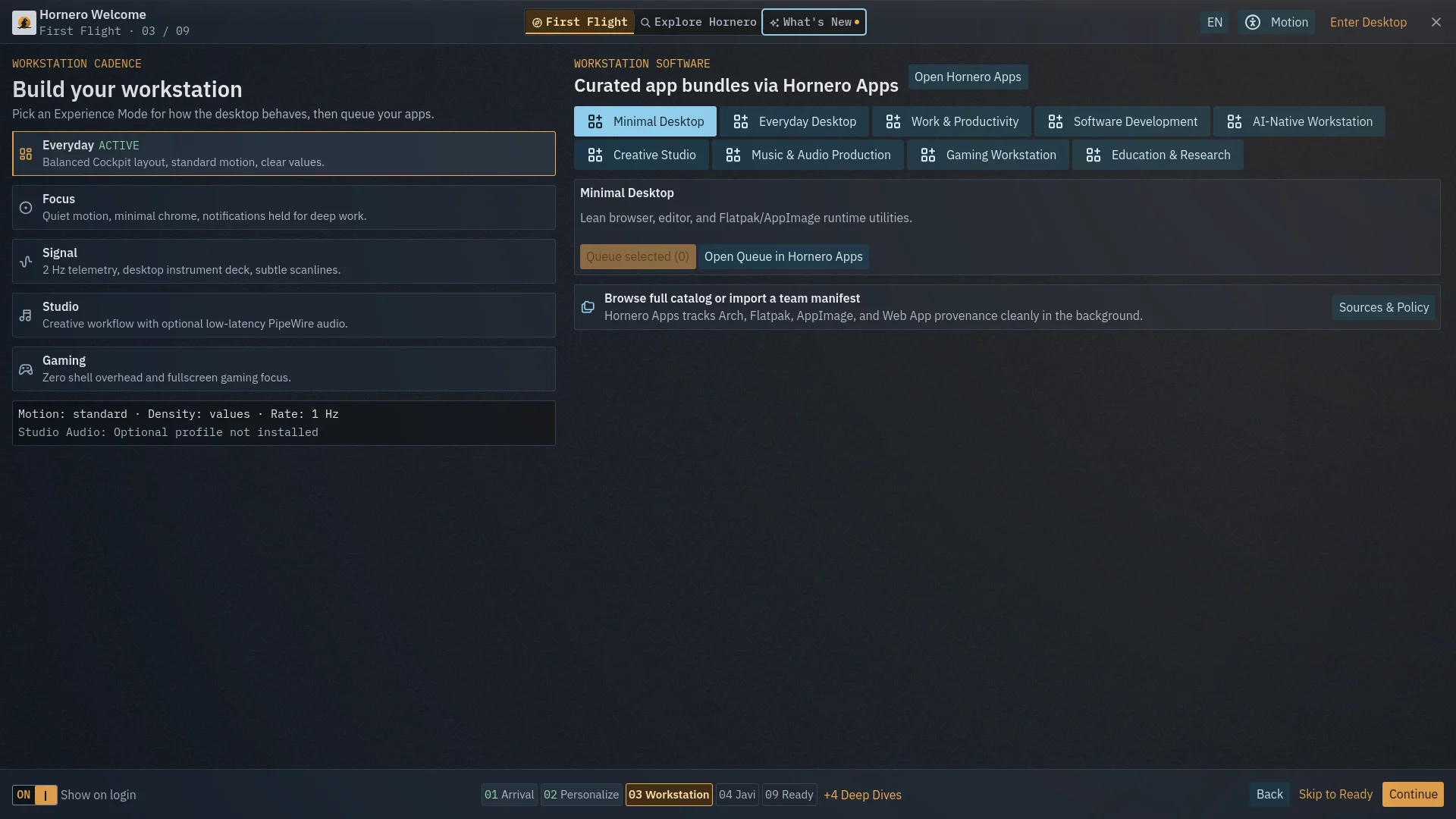
Scene 3 · Signal Night1920×1080
Workstation Builder and profilesAsymmetric selector for all 5 Experience Modes alongside live telemetry specs and Hornero Apps workstation profiles.
Scene 4 · Signal Night1920×1080
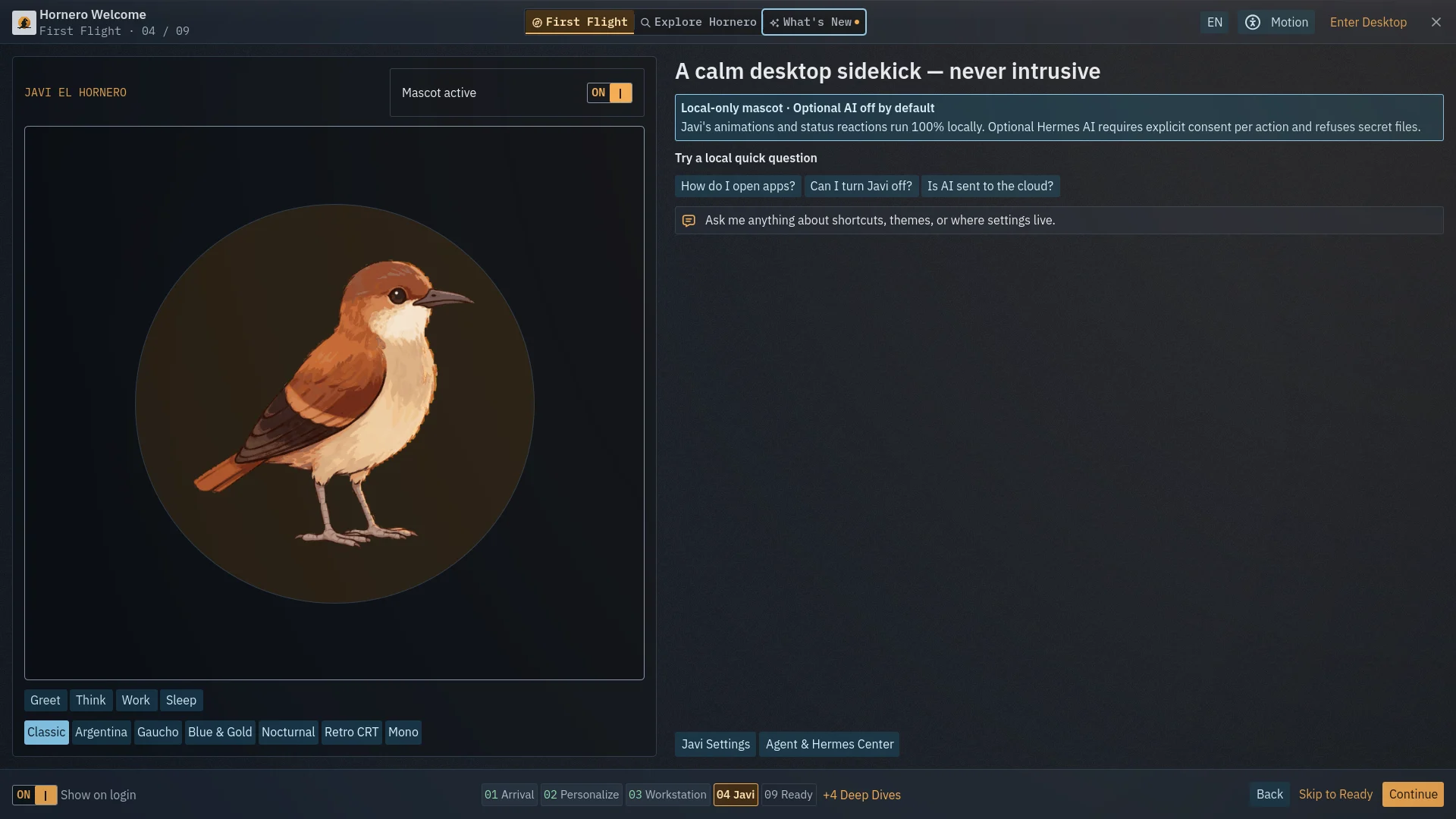
Meet Javi: visual sidekick vs local AI8 desktop companion skins; the optional local AI assistant stays off until you explicitly enable it.
Mode 2 · Signal Day1920×1080
Explore Hornero: search and trust ledgerFilter features, Control Center settings, and active shortcuts, with direct links to extensions and config snapshots.
Mode 3 · Signal Night1920×1080
What’s New: upgrade highlightsFocused post-upgrade summary linking straight to the affected Control Center panels.
All 9 scenes of First Flight
01
Arrival
Reads your active edition and compositor (Hyprland or Niri) over attributed Argentine photography.
02
Make It Yours
Try themes, verified wallpapers, Chromatic v3, and bar layouts with reversible transactions.
03
Workstation Builder
Pick an Experience Mode and inspect Hornero Apps workstation software profiles.
04
Meet Javi
Pick Javi’s visual skin and pose; the optional local AI assistant stays off by default.
05
Move & Fly
Practice 4 real desktop actions reading live keybindings and listening to real compositor events.
06
Extensions & Ecosystem
Browse PluginKit v3 extensions, declared permissions, and HORNERO_SAFE_MODE=1 recovery.
07
Create · Build · Play
Inspect real host readiness for Studio Audio, Dev/Agents, and Gaming.
08
Trust, Diagnostics & Recovery
Check horneroctl doctor health and the boundary between config snapshots and Btrfs probes.
09
Ready to Fly
Review locked choices and launch straight into the Launcher or Explore Hornero.
Engineering & real guarantees142–199 MB RSS · ≤90 ms
Reversible, accessible, measured, and zero telemetry
Reversible preview transaction & crash recovery
Theme, Chromatic, and wallpaper previews run in memory first. When a layout preview writes to disk, Welcome snapshots your baseline in $XDG_STATE_HOME/hornero/welcome-preview-tx.json: Escape reverts, and if the shell crashes mid-preview, the next login restores your baseline automatically.
Real-event practice (no fake timers)
Move & Fly reads your active keybindings live (reflecting custom remaps) and marks each mission complete only when the actual Quickshell, Hyprland, or Niri event fires.
Measured performance & zero idle wakeups
Measured 142–199 MB RSS footprint. Under Reduce motion, transitions cap at <= 90 ms crossfades, Javi holds still on frame 0 (holdStill), and ambient animations pause whenever Welcome is hidden.
Signal accessibility & zero accounts
Full keyboard operation with 2 px celeste focus rings, text scaling, Signal Day >= 5.27:1 contrast, Signal High Contrast, zero accounts, zero cloud sign-in, and zero telemetry.
Terminal control
horneroctl welcome open
horneroctl welcome status
horneroctl welcome set-show-on-login false --yes
horneroctl welcome reset --yes