Esta documentación todavía está en inglés. Sale del repositorio HorneroOS/docs y su traducción al español está pendiente ahí. La navegación del sitio ya está en español.
Gaming applications
Verified application, source, license, and support matrix for HorneroOS
Gaming. This page is a reading view of the canonical Hornero catalogue
(editions/catalogue.yaml
in HorneroOS/hornero); it is not a second catalogue. If this page and the
catalogue disagree, the catalogue wins and this page is stale.
Last verified: 2026-11-03 against the Arch package index. Package presence is not Hornero support: Gaming is a Supported edition (HorneroOS/hornero#328) that installs from the shared signed ISO (VM-validated only), no application below is QA-validated by Hornero on physical hardware, and no row promises that a game, launcher, or driver works on any hardware.
Profiles
Gaming selections are composable profiles (specializations), not a fixed bundle:
| Profile | Meaning | Status |
|---|---|---|
| Desktop Gaming | Default desktop gaming profile | Preview (VM-validated) |
| Handheld | Controller-first session | Planned — none qualified |
| Streaming | Capture/recording with OBS Studio | Preview (VM-validated) |
| Multi-Launcher | Lutris, Bottles, and Wine runners | Planned |
| VR | SteamVR path | Experimental — reference-only |
| Advanced Compatibility | User-managed Proton/Wine opt-ins | Planned |
Matrix
| Application | Packages | Source | License | Install | Status | Profiles |
|---|---|---|---|---|---|---|
| Steam | steam | arch-multilib | proprietary (Steam Subscriber Agreement) | pacman-repository-opt-in | Preview — opt-in only | Desktop Gaming, Handheld, VR |
| Lutris | lutris | arch-extra | open-source (GPL-3.0-or-later) | pacman-repository | Planned | Multi-Launcher |
| Bottles | bottles | AUR (manual) | open-source (GPL-3.0-or-later) | manual | Planned — manual only | Multi-Launcher |
| Wine | wine | arch-multilib | open-source (LGPL-2.1-or-later) | pacman-repository | Planned | Multi-Launcher, Advanced Compatibility |
| vkBasalt | vkbasalt (+ lib32 via AUR) | arch-extra | open-source (MIT) | pacman-repository / manual | Planned | Advanced Compatibility |
| OBS Studio | obs-studio | arch-extra | open-source (GPL-2.0-only) | pacman-repository | Planned | Streaming |
| Heroic Games Launcher | — | upstream | open-source (GPL-3.0-or-later) | none | Reference-only | Multi-Launcher |
| SteamVR | — | — | — | none | Reference-only, experimental | VR |
AUR entries stay manual and optional: no HorneroOS consumer ever executes AUR build recipes. Windows games and community compatibility binaries are never run as root.
Platform baseline
Every Gaming selection builds on the hardware-neutral platform from the
catalogue: Mesa/Vulkan (64-bit and 32-bit), steam-devices, Feral
GameMode, Gamescope, MangoHud, Vulkan tools, PipeWire/WirePlumber, and
the desktop portal. Vendor GPU drivers are a hardware decision made by
the installer and first-boot diagnostics — never derived from a PCI ID
by this catalogue, and never promised here.
Diagnostics
After a Gaming candidate is installed, readiness is self-reported by:
horneroctl gaming doctor
horneroctl gaming doctor --json
Doctor reports capability and registration only (Vulkan ICDs, 32-bit loader, Steam, GameMode, Gamescope, MangoHud, audio/portal, controllers, recovery readiness). It never claims game compatibility, hardware qualification, measured performance, or latency.
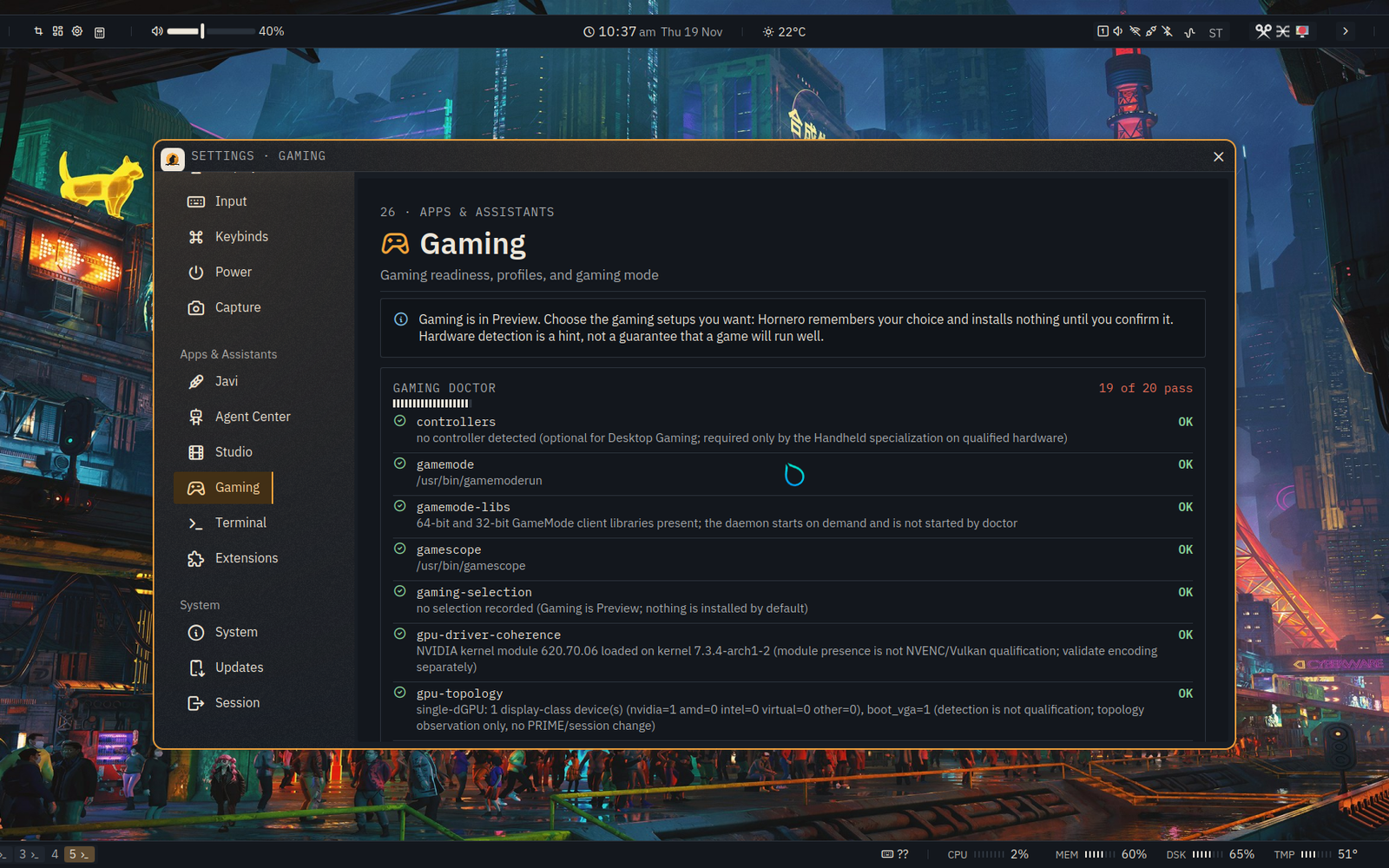
The same readiness checks in Settings → Gaming. Gaming is a Preview edition: this reports readiness only and installs nothing. Running-desktop capture from the maintainer’s machine, 19 November 2026.
Honest limits
- Kernel-level anti-cheat is unsupported. Easy Anti-Cheat and BattlEye work only where the publisher enables Proton support.
- Proton is managed by Steam; HorneroOS does not replace its DXVK or vkd3d-proton components.
- No kernel, scheduler, governor, or memory tweak is enabled by default.
- VRR and HDR are experimental and only meaningful on qualified displays; handheld devices need per-device qualification (Steam Deck is the reference target; ROG Ally, Legion Go, and others are not assumed compatible).
- Graphics recovery uses the existing HorneroOS update/snapshot path and a known-good kernel; there is no Gaming-only snapshot framework.