Studio: low-latency audio without the folklore
A working path through HorneroOS Studio audio: start reliable, measure your own interface, and only then lower the quantum. This guide extends Studio audio; that page owns the mode contract and recovery steps.
Start on Balanced, every time
horneroctl studio doctor
horneroctl studio selection show
horneroctl mode set studio
Balanced follows your device rate and quantum and needs no tuning. Record one clean take or playback pass on Balanced first: that is the baseline every experiment below is compared against.
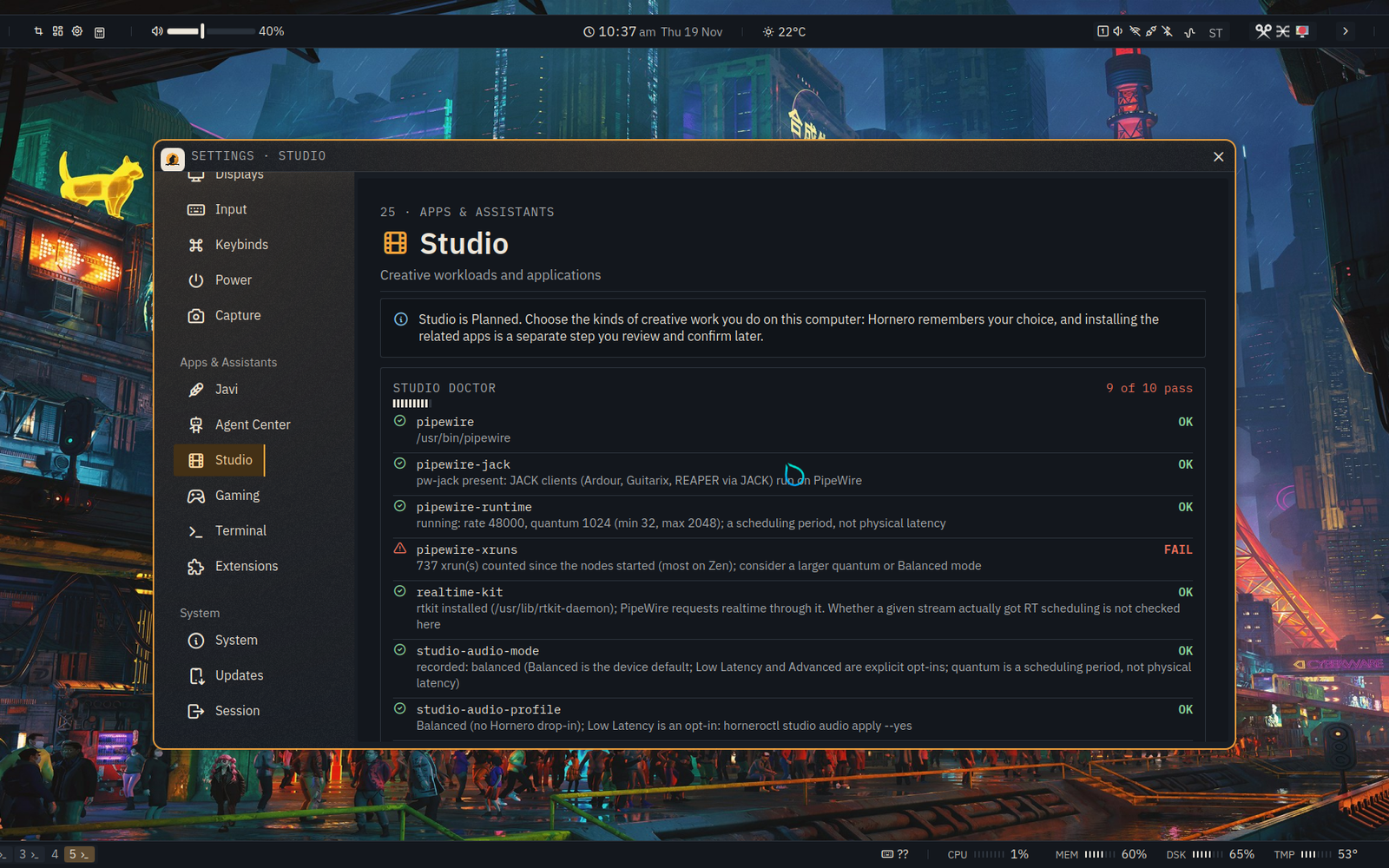
Settings → Studio runs the same doctor: honest results, including a fail. Running-desktop capture, 19 November 2026.
What the modes actually change
| Mode | Use it when | What changes |
|---|---|---|
| Balanced | Default, always safe | Nothing; follows device |
| Low Latency | Short monitoring paths | 128-frame quantum proposal |
| Advanced | Per-interface calibration | Your measured values |
| Temporary Performance | Long renders and exports | Temporary power profile |
PipeWire and WirePlumber run the session in every mode; switching modes never re-prioritises Bluetooth or consumer devices, and HorneroOS never installs a real-time kernel or retunes governors for Studio.
Quantum is not latency
A quantum is a scheduling period. The Low Latency proposal is 128 frames at 48 kHz; it is not a measured round-trip latency, and no HorneroOS surface presents it as one. Only a physical loopback measurement on your interface reports real latency. Measure yours if the number matters to your work.
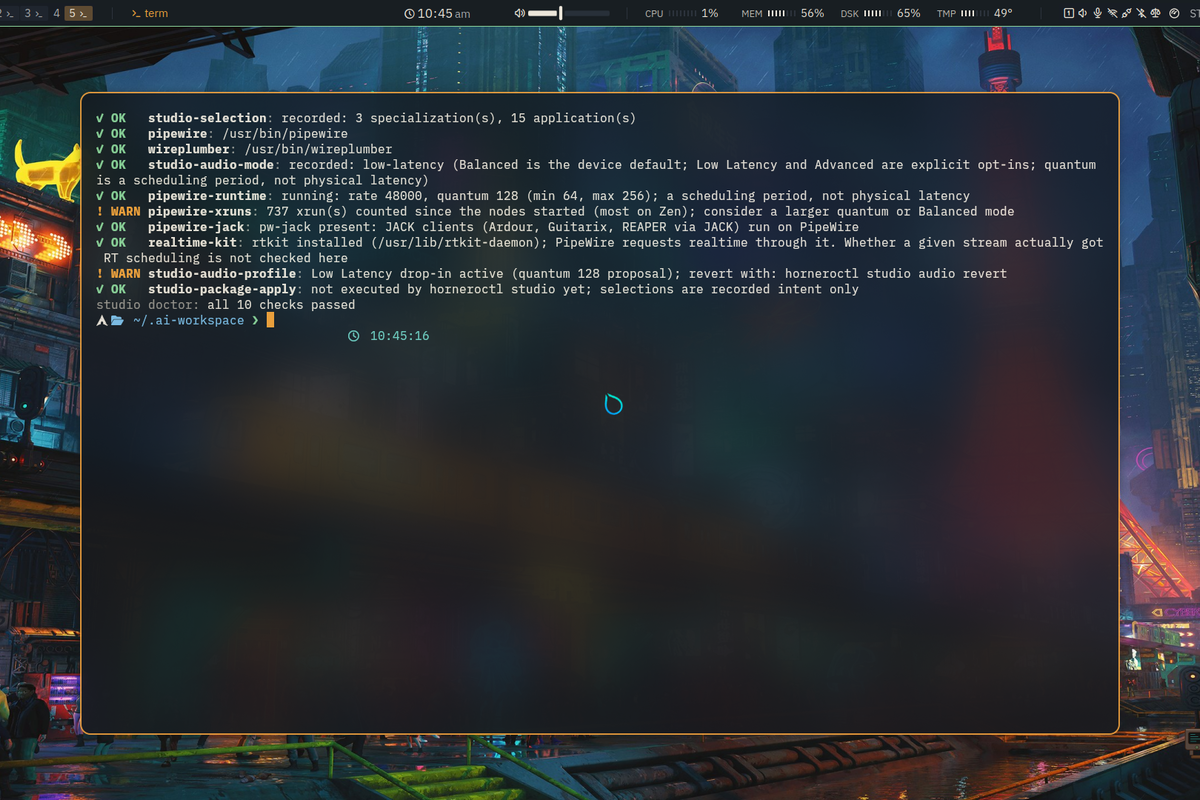
horneroctl studio doctor with Low Latency recorded: the warnings
stay visible, including the xrun count. Quantum values are a
scheduling period, not measured latency. Capture from the
maintainer’s machine, 19 November 2026.
A safe Low Latency trial
- Follow the copy-and-restart steps in Studio audio to enable Low Latency.
- Play or record the same material as your Balanced baseline.
- Clicks, dropouts or xruns mean your interface cannot sustain that quantum: go back to Balanced. That is expected behaviour, not a failure to tune around.
rtkitis part of the normal PipeWire session; HorneroOS does not ask you to replace it or to raise limits by hand.
Routing
Route with WirePlumber-aware tools (wpctl, qpwgraph, or your
DAW’s PipeWire/JACK ports). HorneroOS sets no device-specific
rules, so your routing survives device changes. Pro-audio programs
connect through pipewire-jack.
When audio breaks
Remove the copied drop-in and restart the user services, exactly
as in Studio audio recovery, then run
horneroctl studio doctor again before changing anything else.