Wallpapers
Use Settings → Appearance → Background to work with the desktop background. A wallpaper is only the image behind your windows: by default it never changes interface colours. Colours come from the selected theme, so you can pair any image with any theme. To derive colours from a wallpaper on purpose, use Hornero Chromatic.
Development. Wallpaper-independent colours arrived with Hornero Signal in November 2026. current ISOs up to v0.2.0-preview32 still generate shell colours from the wallpaper.
Set a local wallpaper
The CLI applies an image already present on your machine. Preview the action first, then confirm it:
horneroctl wallpaper current
horneroctl wallpaper set "$HOME/Pictures/Wallpapers/night.jpg" --dry-run
horneroctl wallpaper set "$HOME/Pictures/Wallpapers/night.jpg" --yes
horneroctl wallpaper current prints the resolved current image. set
replaces the wallpaper pointer that the shell watches and refreshes the lock
screen backdrop; it never changes a colour. The path can be any readable
file.
Wallpapers that ship with HorneroOS
- Signal Night and Signal Day use procedural wallpapers drawn from the theme colours — a drafting grid, the La Plata diagonal and registration marks — rendered on your machine from SVG sources under the project’s MIT license. Signal High Contrast reuses the Night wallpaper.
- Hornero Originals each ship one licensed photograph of the place they
are named after: Buenos Aires Nocturno, Cuyo, Fin del Mundo, Iberá,
Iguazú, Pampa, Patagonia, Quebrada and Sierras. They are Wikimedia Commons
images under CC BY 2.0 or CC BY-SA 4.0; creator, source and license are
recorded in Config’s
wallpaper credits
and installed under
/usr/share/licenses/hornero-config/. - Community ports name an optional wallpaper collection, looked up in
~/Pictures/Wallpapers/<collection>/or~/.local/share/hornero/wallpapers/<collection>/; they do not bundle images.
Packaged wallpapers install under /usr/share/hornero/wallpapers/.
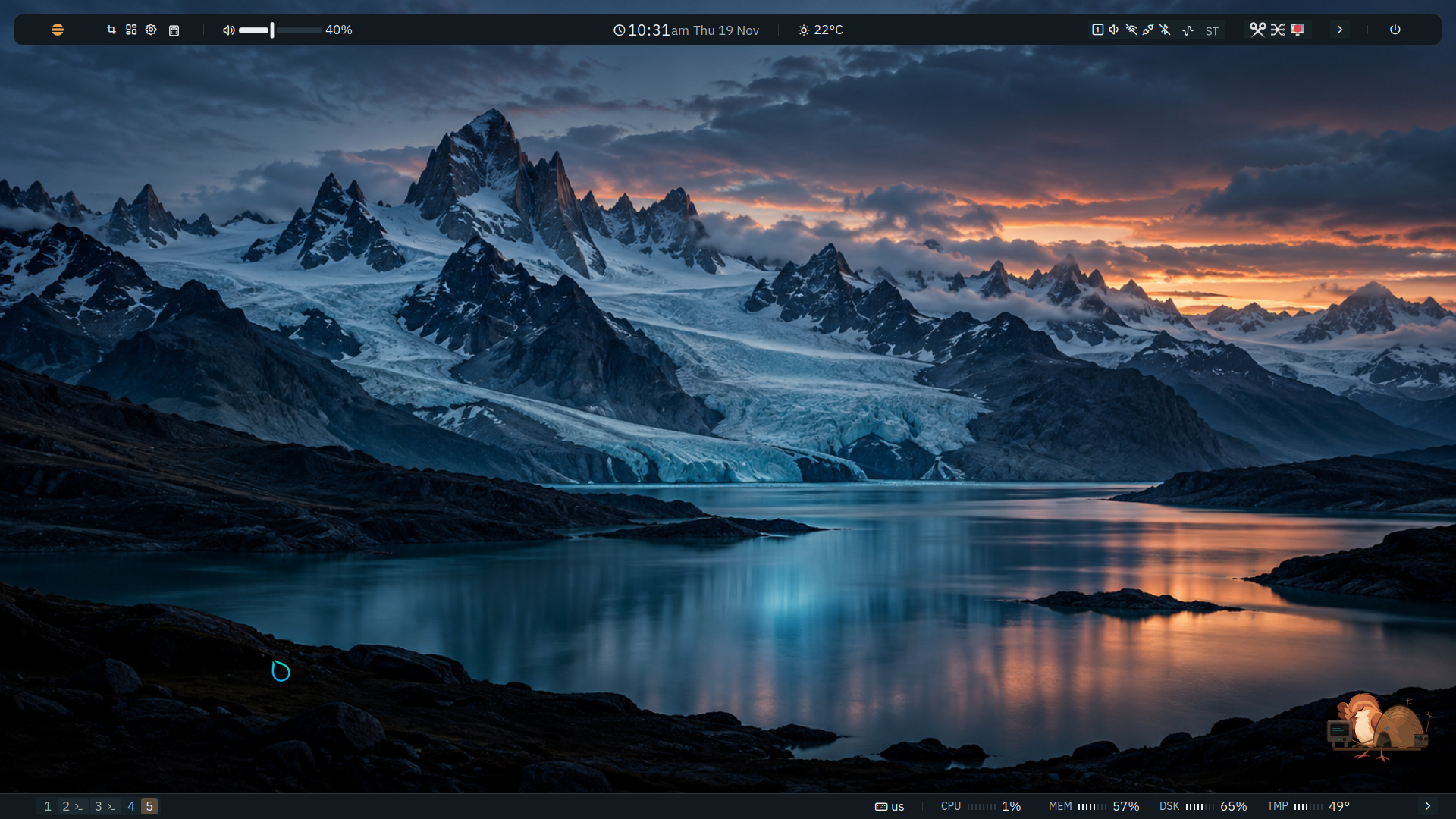
The Patagonia Original applied. The photograph’s creator, source and licence are recorded in Config’s wallpaper credits, linked above. Running-desktop capture from the maintainer’s machine, 19 November 2026.
The retired Hornero Dark, Light and 199X artwork is no longer shipped.
Optional and personal wallpaper collections
The public dotfiles repository
contains optional wallpaper artwork for personal Arch workstations. When the
optional wallpaper profile is applied, images are linked under
~/Pictures/Wallpapers/<collection>/. They remain user media and are not
redistributed by the Hornero Config package.
The website keeps these collections distinct: browse the theme catalogue, the photographic wallpaper gallery and the Showroom. Captions identify photographs, original artwork, concept renders and running-desktop screenshots by their actual provenance; desktop captures taken before Hornero Signal are labelled as showing the previous appearance.
When a theme wallpaper is unavailable
A theme’s manifest can name a default image and a wallpaper collection without shipping the image. If that media is not present, the theme still applies; choose an installed image or point the CLI at a local file. Hornero does not download an image on your behalf.
To inspect wallpaper metadata for every installed theme:
horneroctl appearance theme list --full
horneroctl appearance theme show hornero-signal-night
The theme and wallpaper manifests are maintained in HorneroOS/config.